
HubSpot Updates Summary For September 2024
Sales teams waste hours chasing leads that were never going to buy, while the genuinely ready ones sit untouched in a list. This usually isn't a sales problem. It's a scoring problem. Marketing hands over everything, or nothing, because there's no reliable way to say who's actually ready.
Lead scoring fixes that. Here's how it works inside HubSpot, and how to build a model your sales team will actually trust.
What Is Lead Scoring in HubSpot?
Lead scoring is a way of ranking contacts by how likely they are to become a customer, based on their behaviour and their profile. Instead of sales working through a list in the order it was exported, scoring surfaces the contacts worth calling first. HubSpot calculates this automatically using a combination of properties and activity, so the ranking updates in real time as contacts engage.
What Makes Up a Lead Score?
A HubSpot lead score is built from two separate inputs: engagement and fit. Engagement covers what someone actually does, website visits, email opens, content downloads, pricing page views. Fit covers who they are, company size, industry, job title, whether they match your ideal customer profile.
A contact can score well on one and badly on the other. Someone visiting your site daily but working at a business half your target size isn't a priority. Someone who fits your ICP perfectly but hasn't opened an email in six months isn't either. Scoring both separately, then combining them, is what makes the model useful.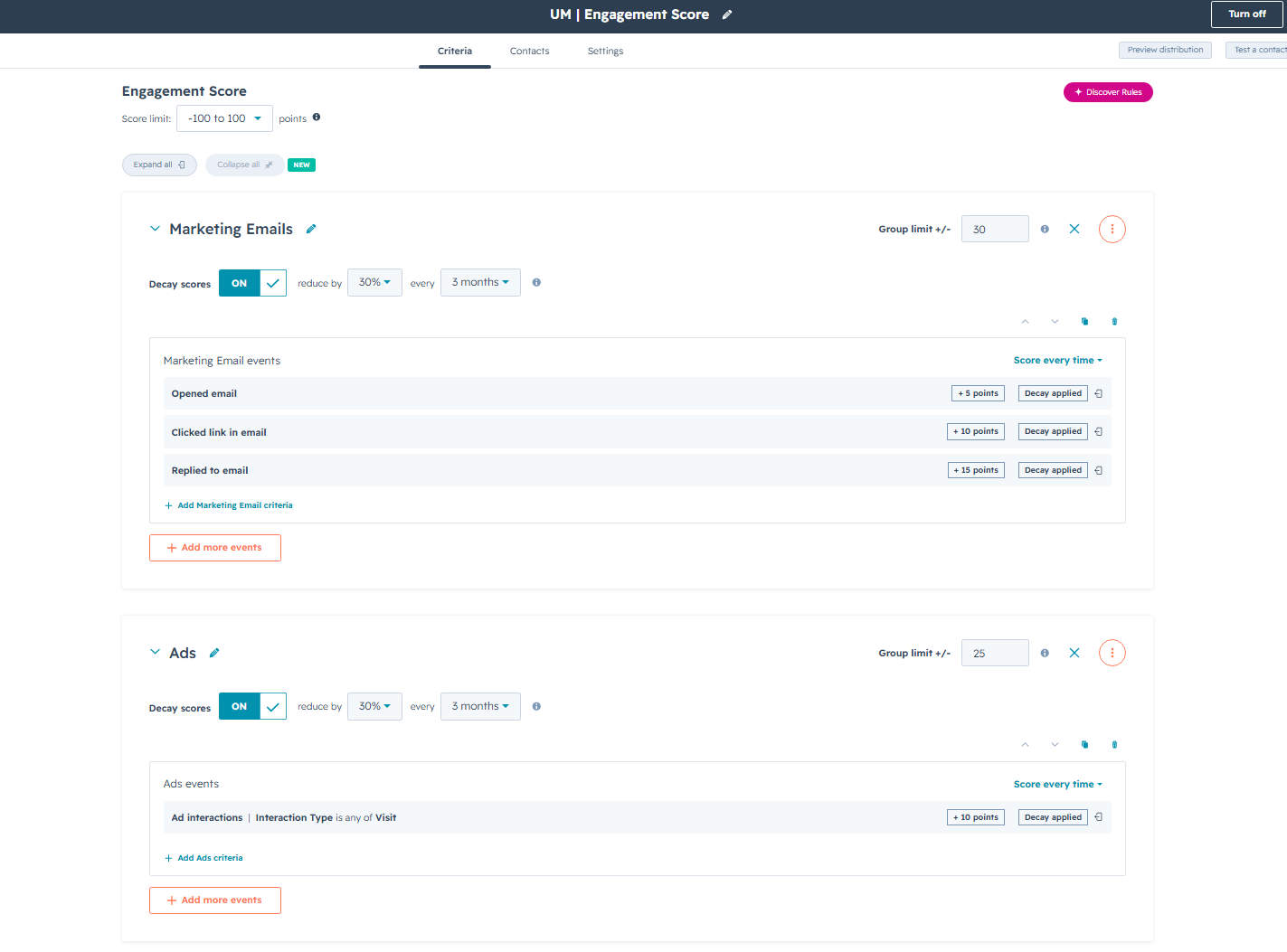
How Scoring Tiers Work
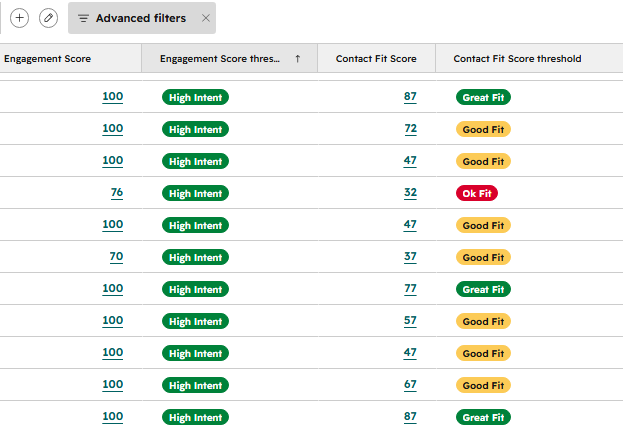
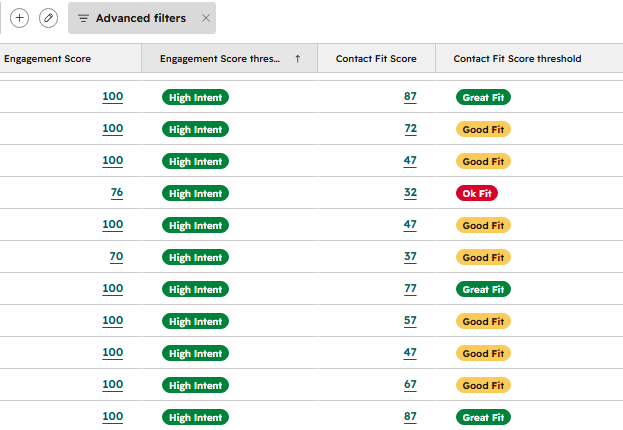
HubSpot lead scoring sorts contacts into tiers by crossing fit against engagement, typically something like poor fit, good fit, and great fit, each measured against how engaged that contact currently is. A great-fit contact with high engagement sits at the top. A poor-fit contact with high engagement still isn't a priority, no matter how active they are.
This is where a lot of scoring models fall down. Businesses score engagement alone and end up chasing anyone who clicks a link, regardless of whether they could ever become a customer.
What Happens When a Contact Crosses the Threshold
Once a contact's score passes a set threshold, HubSpot can trigger an action automatically, no one has to spot it manually. That might mean moving the contact to the next lifecycle stage, dropping them into a specific nurture workflow, or creating a task that flags them directly to a sales rep. The point is speed. A sales-ready contact sitting untouched for three days has usually gone cold by the time someone notices.
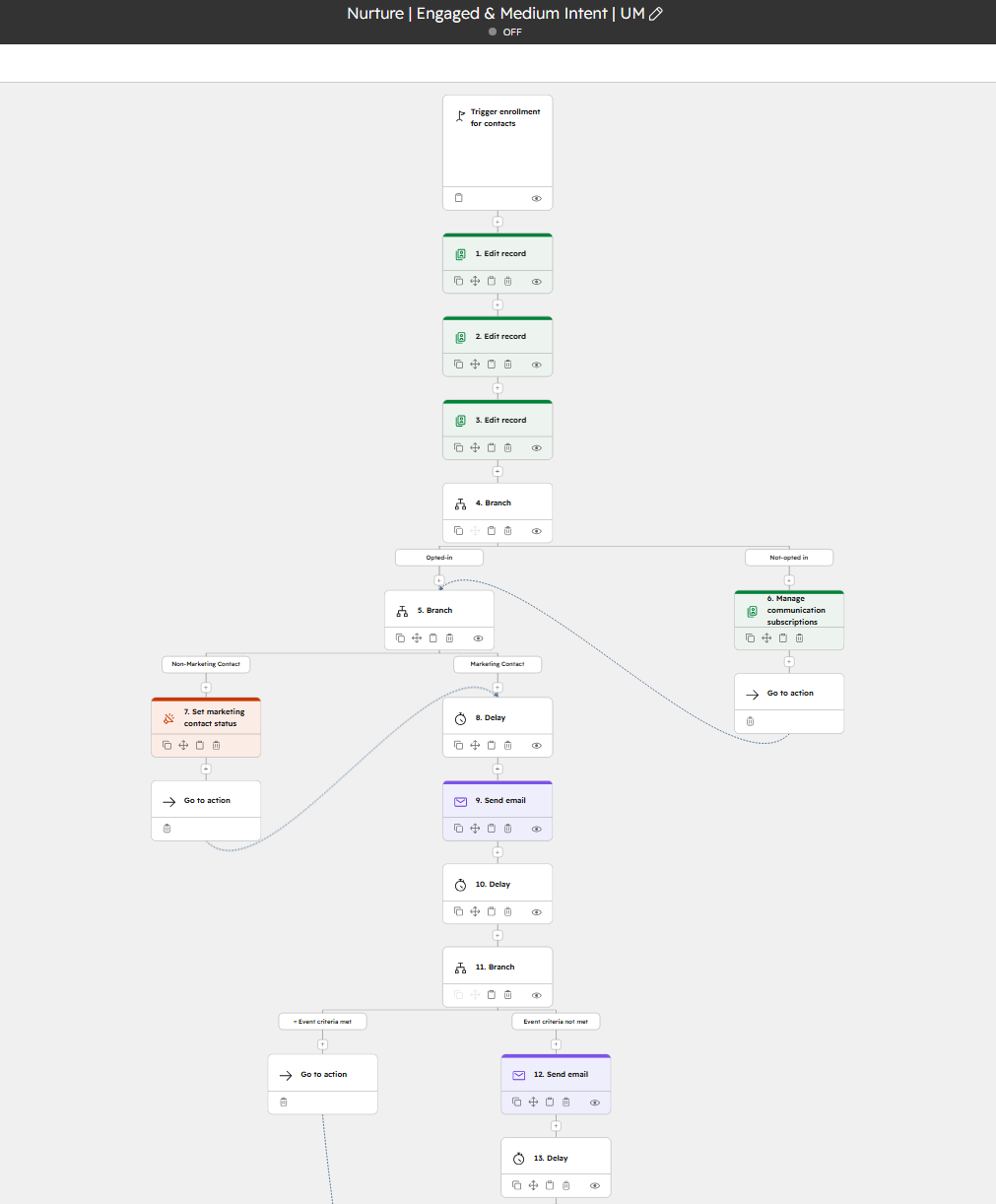
Building the Right Nurture Paths
Not every contact should get the same follow-up, and scoring is what lets you split them properly. Low engagement gets warmed up gently with educational content. High engagement and good fit gets pushed towards conversion, or handed straight to sales. Building separate paths for each combination means marketing keeps working the contacts who aren't ready yet, without slowing down the ones who are.
How to Know If It's Working
The clearest sign your lead scoring model works is a healthy MQL to SQL conversion rate. If sales are converting a strong proportion of the leads scoring hands them, the model is doing its job. If reps are still saying "these leads aren't ready," the thresholds or the weighting need revisiting, not the sales team's approach. Pipeline reporting in HubSpot makes this visible without guesswork, so you can see exactly where the model is earning trust and where it isn't.
Lead scoring only works when it's built around how your business actually sells, not a generic template. If your reporting doesn't currently support that, it's worth checking our marketing automation work.