
HubSpot Spotlight 2026, ALL updates.
HubSpot's Unbound 2026 release might be its biggest yet. The volume of updates is huge, and this one isn't really about a single flashy feature. It's about a shift in how the whole platform is built.
As a HubSpot Diamond Partner that lives in these portals every day, we're not interested in repeating the press release back to you. We want to tell you what's genuinely going to change how you work, and what it means for your team over the next few months.
Matt and Adam also walked through all of this live in our Unbound 2026 webinar, with deep dives of the features we could get our hands on. If you'd rather watch than read, the recording is here: Watch the Update Debrief →
The Theme: Growth Context
HubSpot is now positioning itself as an "agentic customer platform." Underneath the label is a real architectural shift, and it's worth understanding before we get into the features.
For the last decade or so, HubSpot has been a system of record. It stored your data, and your team supplied the judgement. Now agents are doing real work inside your portal too, and an agent can't do good work without the same context a person would have.
HubSpot's answer is growth context: not just the data sitting in a property field, but the why behind it. The call where a deal nearly fell apart. The support ticket that flagged a churn risk three months early. That's the layer everything else in this release is built on.
In practice, the value of every tool below depends on how well your portal's context has been set up. Rubbish in, rubbish out. Keep that in mind before you get excited about any single feature.
Our Top Picks
1. HubSpot Work: Project Management Inside HubSpot
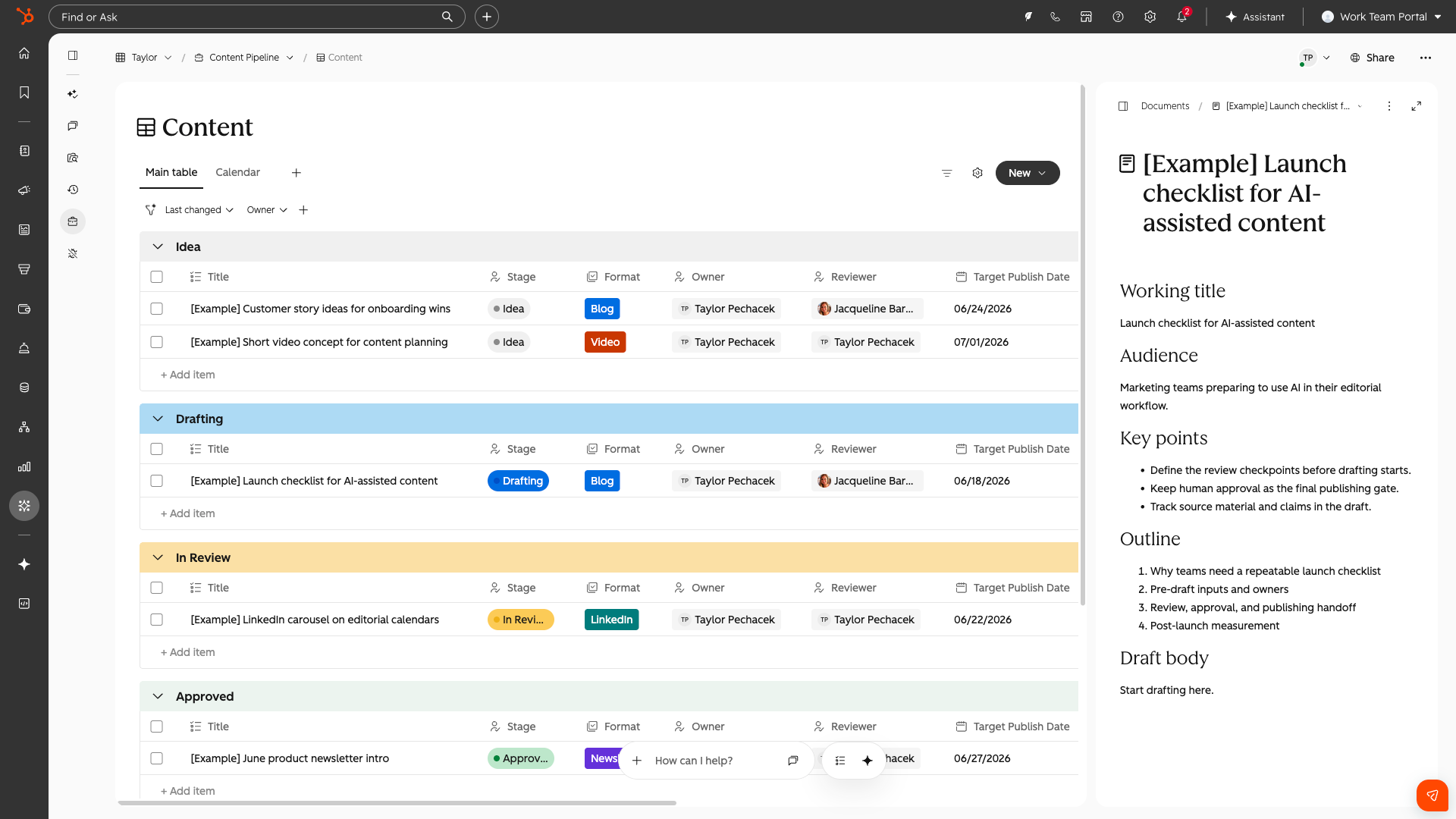
HubSpot Work has had a few names during beta, and it's now in public beta under this one. If you've used Monday.com, it'll feel familiar. It's a workspace for tracking tasks and projects, with owners, reviewers, and due dates, sitting directly on top of live CRM data.
It's separate from both tasks and Projects. Tasks are tied to a record. HubSpot Work isn't. You can build templates too, so a marketing team running the same process for every campaign can spin up the same checklist each time and track it in one place. It also builds tables, documents, and automations from plain language prompts.
Then there are work agents. You could set one up to check your project every Monday morning, spot what's overdue, and nudge everyone to update their tasks. Those agents consume HubSpot credits, so keep an eye on usage.
The best news: any user with a paid seat gets access. No separate project management seat to buy.
Who should care: Any team juggling client work, campaigns, or onboarding across disconnected tools.
2. Agent Hub and Context: The Foundation for Everything Else
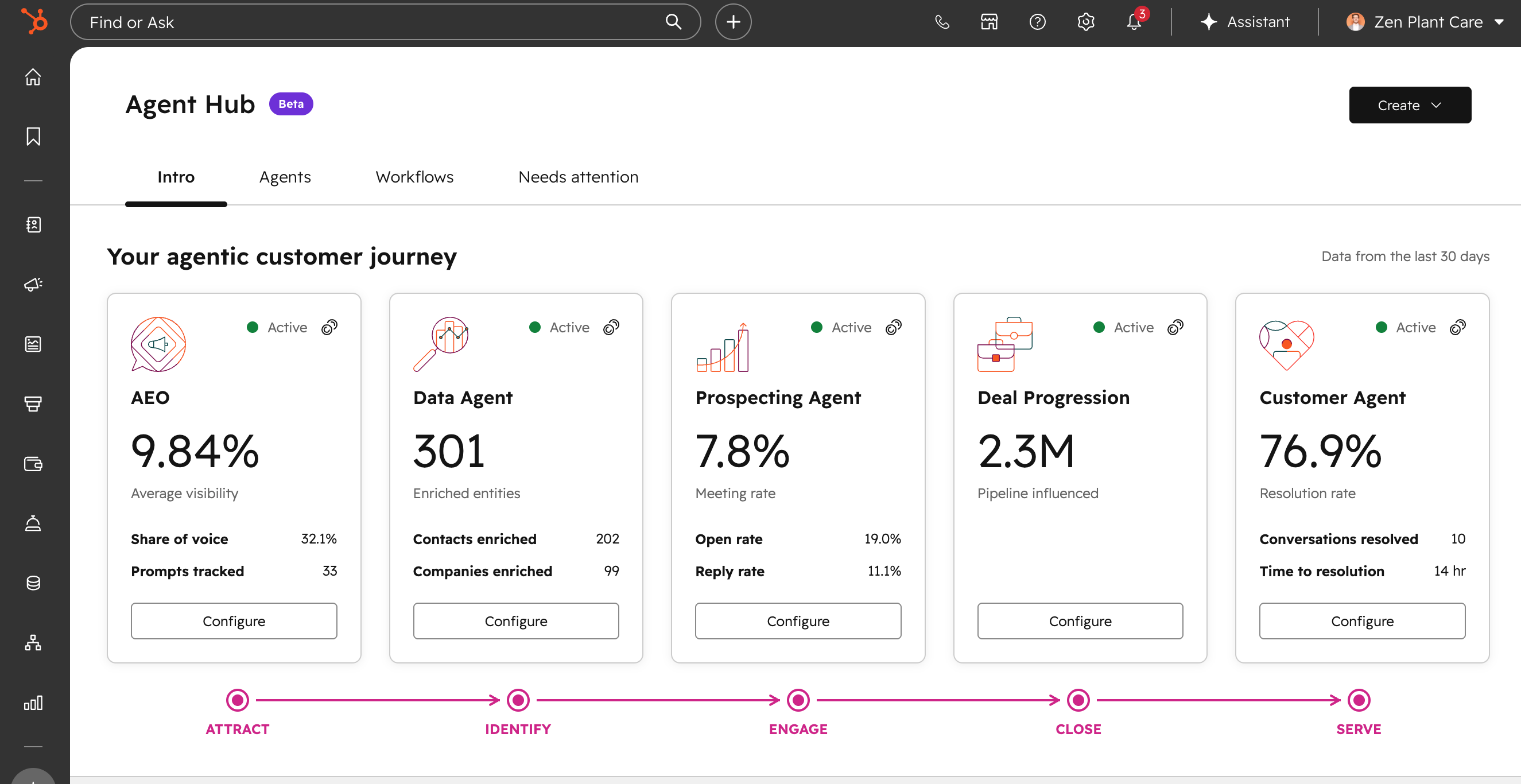
You'll have spotted the new Agents tab in your sidebar. Agent Hub is your one-stop shop for building, testing, and monitoring every agent in your portal. It's also home to the new workflow builder, which we'll come back to.
The most important tab is the last one: Context. This is where you upload files, describe what your business does, and define your ICPs, personas, and products. Every agent and every piece of AI in HubSpot draws from it.
A lot of portals have context that HubSpot has auto-assembled but nobody has ever reviewed. If that's true of yours, every agent you switch on is working from a guess. Building out this layer properly is, in our view, the single highest-value piece of work in this whole release.
Who should care: Anyone planning to use Breeze Assistant, the marketing agents, or Deal Progression. This is what they all run on.
3. Contracts: Proper Subscription Management
This is the one we're most excited about!
Most businesses manage renewals and upgrades by creating new deals, then trying to work out whether a customer upgraded, downgraded, or churned. Contracts fixes that. A contract is its own object, attached to the original deal, with a start and end date, revenue, a billing schedule, and current and upcoming line items. If a customer adds seats halfway through, you raise a change quote against the contract instead of building a new deal.
It's built for mid-contract changes too. We work with a client who runs three-year deals with a 5% uplift after year one. Right now they create a new deal just for the increase. With contracts, the uplift simply applies on that date.
Two things worth knowing. You don't need Revenue Hub seats to use contracts. You only need them for the change and renewal quotes. And all Pro and Enterprise customers can now report on revenue from contracts, with pre-built reports covering MRR waterfalls, net new MRR, and total contract value. It's in the custom report builder too, with API access on the way.
We're moving our own contracts onto this right now, with Xero connected to track payments.
Who should care: Any business with subscriptions, retainers, or multi-year contracts.
4. Email Variants
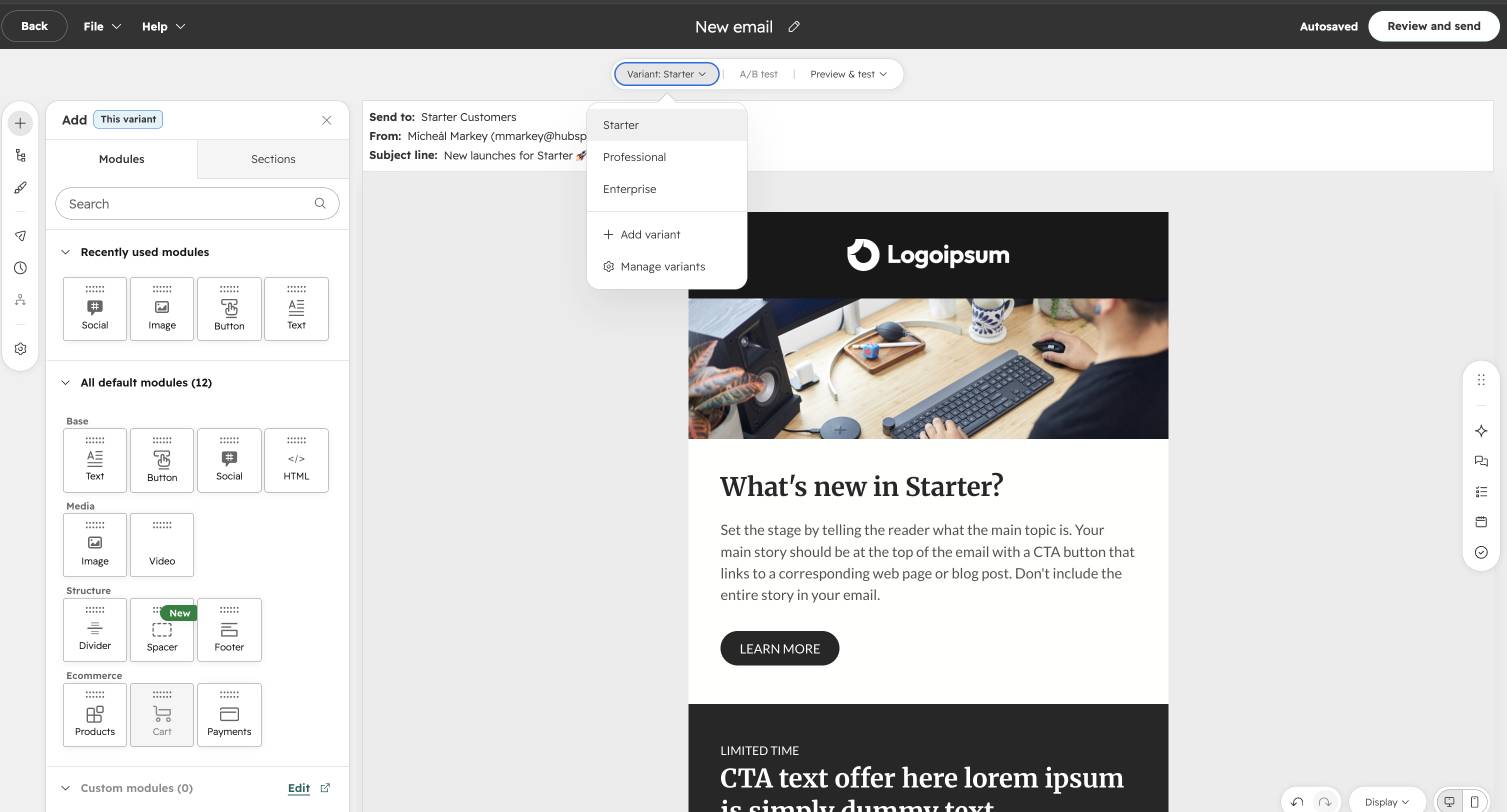
HubSpot has labelled this a major update, and we agree. You can now build one marketing email with multiple variants inside it: prospects versus customers, one per lifecycle stage, one per industry, one per language.
If you've been leaning on smart rules to personalise emails, this is far more powerful. It'll also keep your email library a lot tidier. One word of caution: you can run an A/B test inside a variant, then test a subject line on top of that, so it can get layered quickly. Plan before you build.
It's available on Marketing Pro and Enterprise, for regular emails only for now. We'd expect automated emails to follow.
Who should care: Anyone sending the same campaign to audiences who need slightly different messages.
5. Marketing Studio 2.0 and Full-Circle Campaign Reporting
Marketing Studio has had a proper rebuild. If you're wondering where campaigns have gone, they now live inside Marketing Studio, alongside their assets, a calendar view, revenue, UTMs, goals, and budgets. It loads into a clear overview now, with the canvas there when you need it for mapping out how assets connect.
It also now handles campaign automations. Notify the team when an email goes out, or set someone a task to write the follow-up. Having every automation for a campaign in one place makes shutting it down properly much easier, so nobody gets an email about last year's webinar because they landed in an old active segment.
The bigger news is attribution. You can now associate leads with campaigns (public beta, available to enrol now) and companies with campaigns. For B2B, that matters. You can finally say this campaign created this many leads, this many deals, and this much revenue. The ads tool now has a Leads tab too, so you can see leads generated by your ads, not just contacts and deals.
Who should care: Marketing teams who need to prove where pipeline actually comes from.
6. Nurture Agent and Campaign Agent
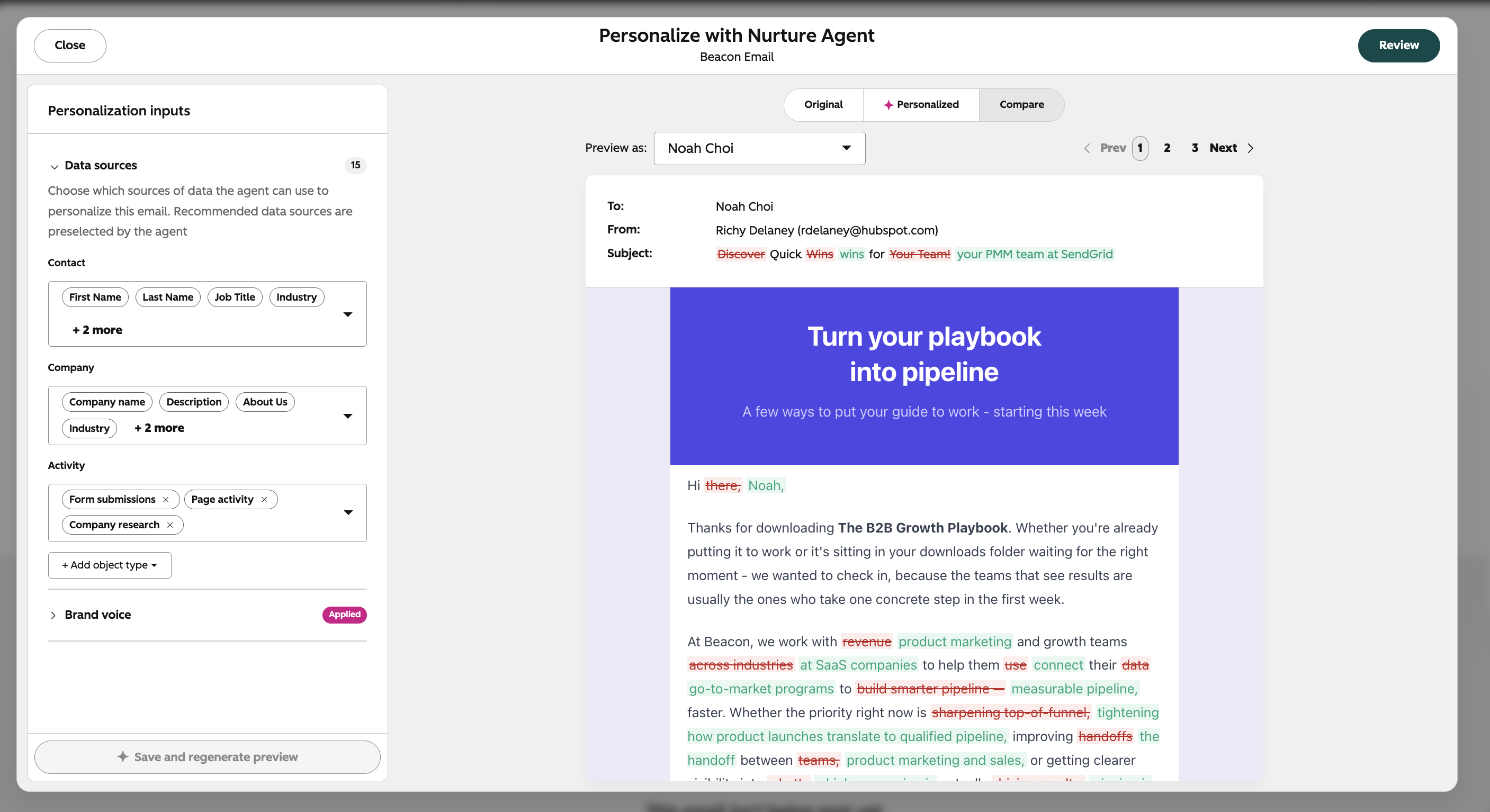
Nurture Agent is the one we most want to test. It keeps your existing nurture workflows intact, but writes the subject line and body of each marketing email individually for each recipient, based on their CRM data and past activity. If they viewed a pricing page, it can reference that. You control which data sources it can use, so if your company name property is full of messy capitalisation, you can exclude it.
Campaign Agent works through Breeze Assistant inside Marketing Studio. You tell it your goals and audience, and it generates the campaign and its assets: emails, ads, and more. Paired with the new AI ad creation tools, a marketer working alone could get a campaign most of the way built very quickly.
Who should care: Lean marketing teams, and anyone running always-on nurture who wants each contact to get something more relevant.
7. Segment Scoring
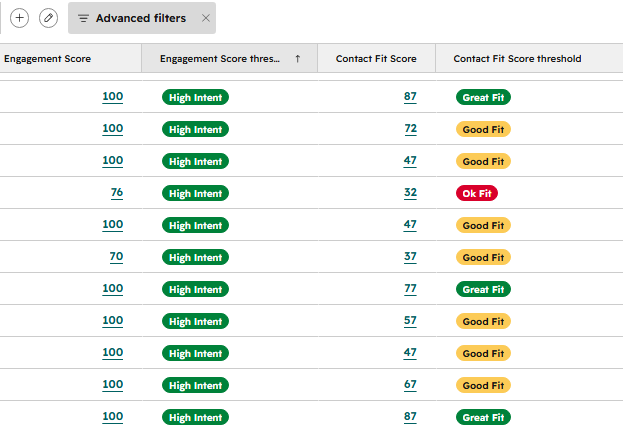
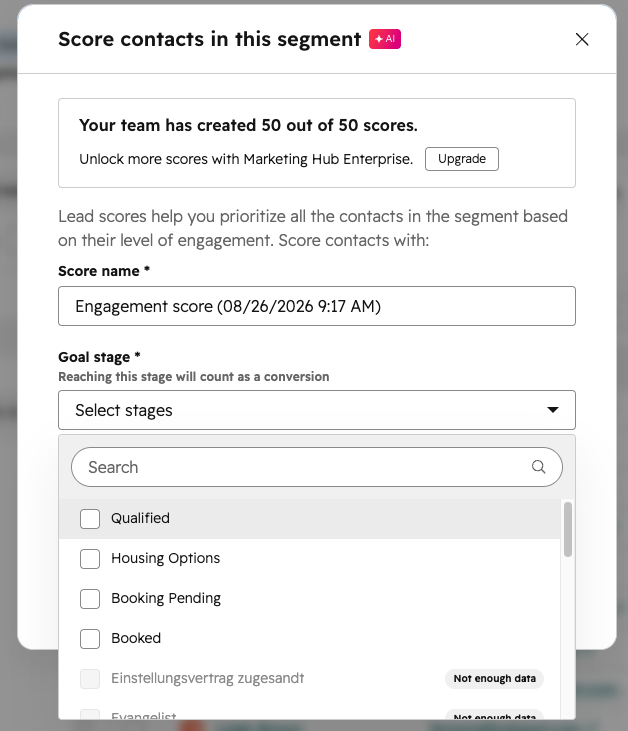
The name undersells this one. It isn't lead scoring in the traditional sense. Pick a segment, say your MQLs, and choose the lifecycle stage you want them to reach next. HubSpot's AI then scores each contact on how likely they are to make that move, based on contacts who've successfully made it before.
Picture 200 webinar attendees and a BDR team ready to call them all. Segment scoring tells them where to start.
Who should care: Anyone handing lists from marketing to sales.
8. Customer Agent: Knowledge From Your Ticket History
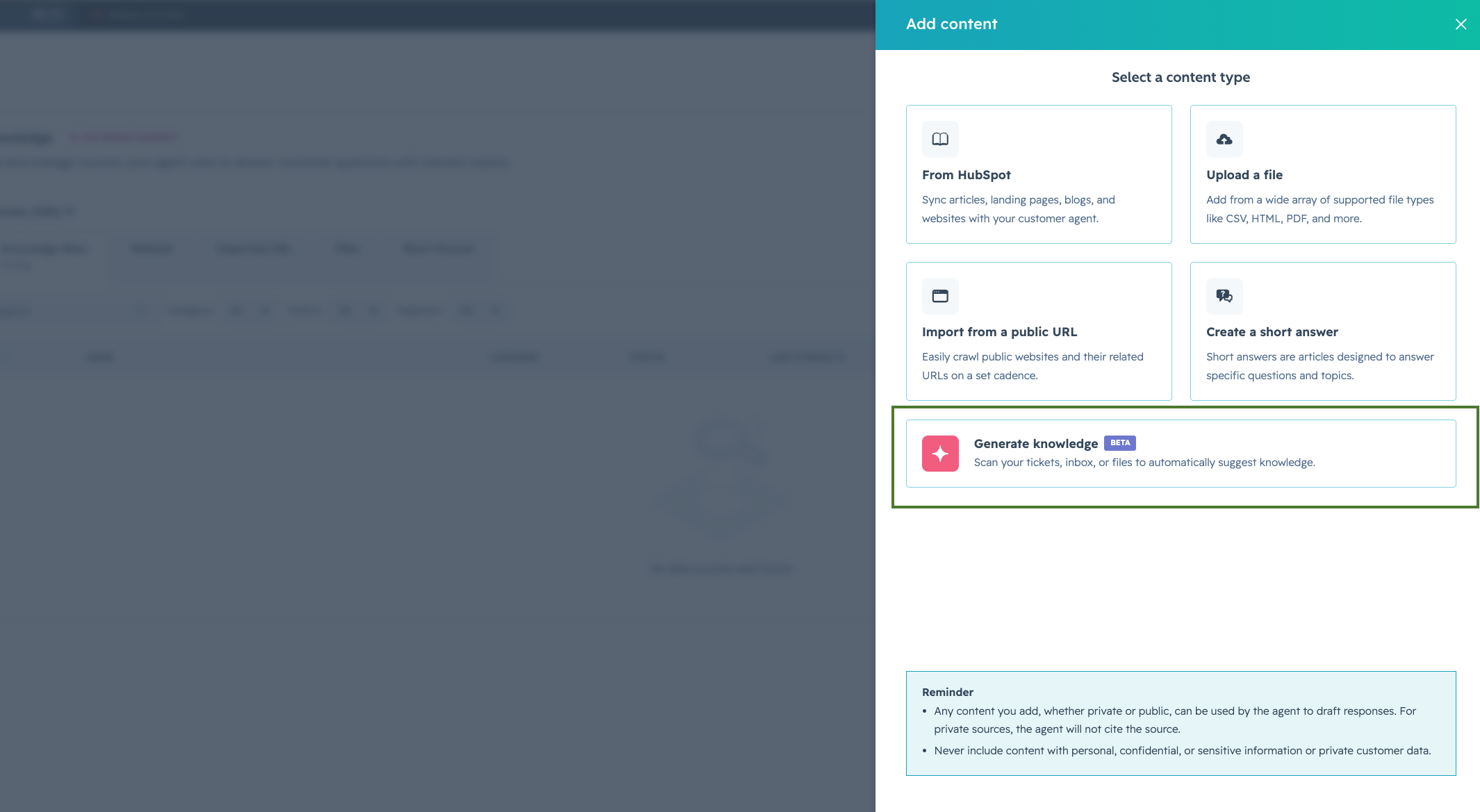
Customer Agent can now analyse your ticket history, group tickets by theme, and generate Q&A knowledge from the answers your team has already given. In effect, it builds a mega FAQ in the background.
This sits in Service Hub, but marketing teams should be paying attention too. If the same questions come up in every first sales conversation, answer them on your website, and those conversations start further along.
Who should care: Service teams, and marketers looking for content ideas based on what customers really ask.
9. Revenue Agent
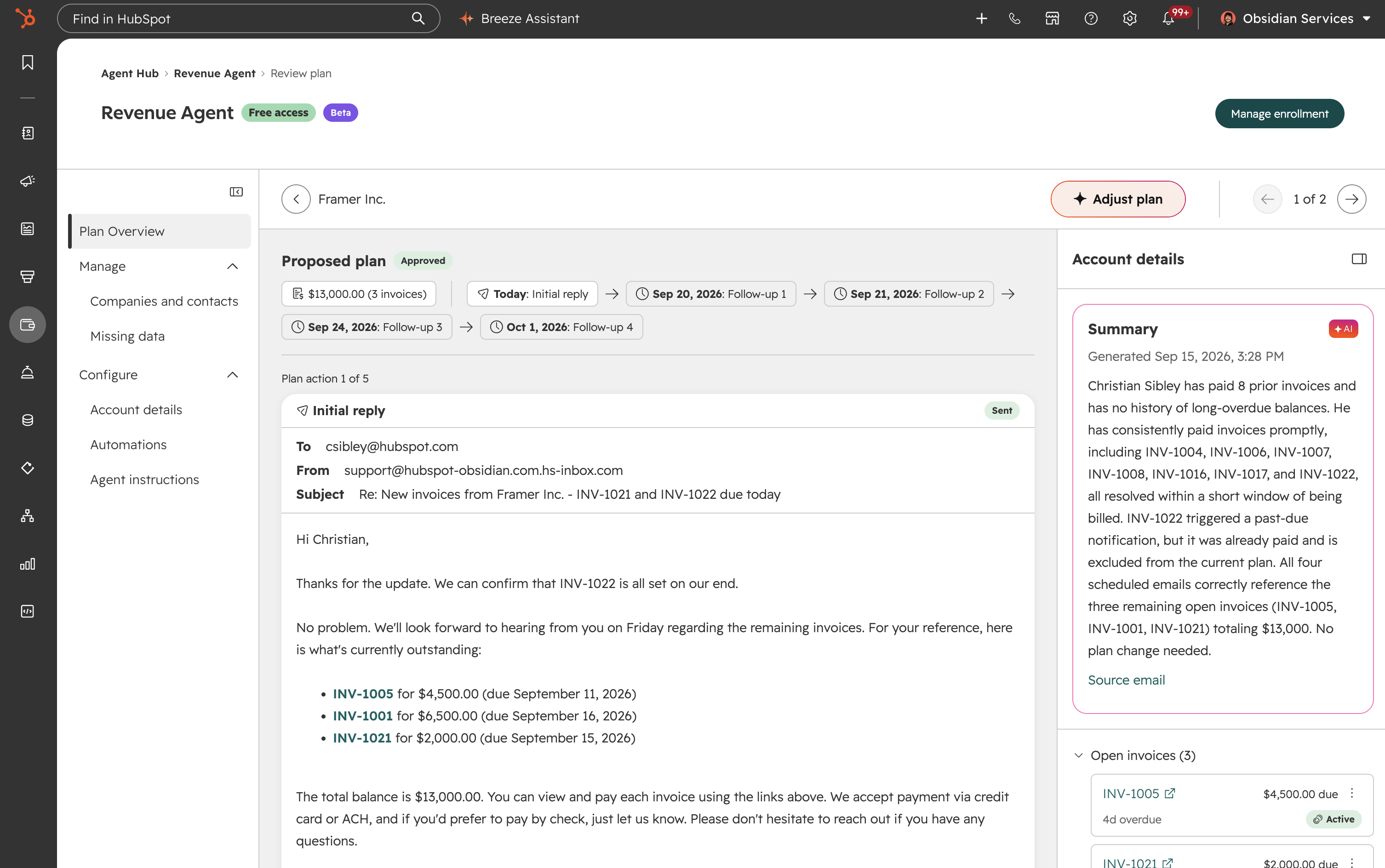
Revenue Agent chases unpaid invoices. It monitors what's outstanding, sends reminder sequences, tracks replies, and adapts the plan if a customer asks for more time. Chasing payments is painful for a person to do, so this is a genuinely practical use of an agent. It consumes credits, so check the pricing before you switch it on.
Who should care: Any business running recurring revenue or retainers. Most of the people reading this, then.
10. Breeze Assistant, Properly Grown Up
The Breeze name is being retired as an umbrella term, since AI now runs through the whole platform rather than sitting on top of it. Breeze Assistant keeps its name, and it's had a real upgrade: it's on mobile, it remembers across sessions, and it connects to tools like Asana, Notion, and Linear.
It also sees the page you're on. Open it in Marketing Studio and it knows you probably want to build a campaign. Ask why you can't see your deals, and it'll tell you it's because you're in Marketing Studio.
Who should care: Everyone. It's the front door to most of this release.
Everything Else Worth Knowing
Marketing and Ads
- ChatGPT ads. You can now build ChatGPT ad campaigns in HubSpot and get reporting back as normal. The UK is included in the rollout. Worth knowing: ChatGPT ads only show to people on the free version.
- Reddit ads. Run Reddit ads from HubSpot and target specific communities, whether that's the HubSpot subreddit or a DIY forum.
- AI filing for segments. Similar idea for segments: HubSpot suggests folders for similar segments, and you accept them. Every HubSpot admin will be happy with this one.
Agents and Automation
- Deal Progression, expanded. Deal Progression now monitors email, calls, and meetings in the background, drafts reply suggestions inside Outlook or Gmail, and can create quotes from deal context. Some of this is in private or public beta.
- Agent Builder and the new workflow builder. Agent Builder now supports custom event triggers, so a workflow can start from a Slack message, a Google Sheet update, a webhook, or a schedule. The new workflow builder makes it easier to pull in AI connectors like Claude and ChatGPT, though it takes some getting used to if you know the current one well. You can migrate legacy workflows across, and we'd expect that to become the norm over time. If you've got automation living in n8n or Make because HubSpot's triggers were too limited, it's worth a look.
- Customer Agent voice. An AI agent that answers phone calls, at 50 cents a minute. We see it working best for simple, high-volume queries like password resets, with anything serious routed to a person.
Revenue and Reporting
- Revenue attribution. Revenue from contracts and orders can now be tied back to the campaigns that sourced it, not just to deals. This one's for Marketing Hub Enterprise.
- Customer Success workspace. Revenue and contract data now sits in the Customer Success workspace, so CS teams can see their portfolio's contracts, revenue, and next renewal dates in one place.
- Dashboard upgrades. A finer grid for more flexible layouts. Colour themes across a whole dashboard, so the same rep is the same colour in every report. Dashboard sections you can collapse and move around. Up to 50 reports per dashboard, up from 30. Report descriptions that show inside the report. And cleaner embedded HubSpot pages, so reps can update out-of-date deals without leaving the dashboard.
CRM and Admin
- Microsoft SharePoint app. Attach SharePoint files, folders, and document libraries to any record, and automate SharePoint through workflows. Breeze can see the link, but not the file contents.
- Customisable title cards. The card at the top left of every record is now editable, and because it lives in record customisation, each team can have its own. Everything except the record name can change.
- Cell selection in index pages. Select, copy, paste, and edit multiple cells by holding Shift, much like working in Excel. It works in board views too.
- Manual sort in board views. Drag deals into whatever order you want. Handy in sales meetings, and it updates in real time for everyone.
- Invite Notetaker by email. Add notetaker@hubspot.com to any meeting invite and it'll join. It can also join without the recording announcement now, and in a choice of accents.
- On-demand notification summaries. An AI summary of your notifications, by day or week. Tidy up your notification settings first, then let this do the rest.
- Merged records keep their ID. When you merge records, you can now keep the primary record's ID. If a third-party system syncs on record ID, join this beta.
- Map view. View contacts and companies on a map, based on their address. Still in private beta, heading to Enterprise soon. Radius search and route planning look likely to follow.
The Bigger Picture
AI is no longer a layer, it's the foundation. Nearly every item in this release touches agents in some way. That means the quality of your data and context matters more than ever, not less.
Trust is built in. Every agent-driven action we've seen, from Deal Progression's suggestions to Revenue Agent's collections plans, keeps a human approval step in the loop. That's a sensible response to the hesitation most businesses have about letting AI near live deals or customer communication.
The data gaps are closing. Leads on campaigns, leads in ads, companies on campaigns, revenue from contracts. Put together, HubSpot can now trace the full journey from first touch to real revenue. That's the report leadership teams have been asking for.
Credits are now part of running a portal. HubSpot Work agents, Revenue Agent, and Customer Agent all consume credits. Understanding and managing that consumption is becoming as important as managing seats.
Context quality will separate the winners. A portal with rich, accurate context will get genuinely better results from all of this. A portal without it will get generic output from the exact same tools. The technology isn't the differentiator. The groundwork is.
Looking Ahead
There are a few things we'll be watching as this rolls out: email variants coming to automated emails, how context works for portals running multiple brands, how HubSpot Work and Projects sit alongside each other long term, and how multi-account management, now available across all Enterprise hubs, performs at scale.
Need Help Making Sense of It?
If you've seen something here you'd like to set up, or you want to know whether your context layer is ready for these new agents, that's exactly what we do.
Unmatched is a HubSpot Diamond Partner specialising in implementation, optimisation, and ongoing support for growing businesses. We don't just switch features on. We make sure they're set up to work for how your business runs.
Missed the live session? Watch the Update Debrief recording →