
Mastering HubSpot Marketing Hub: Key Features and Automation Tips
HubSpot Spring 2026 Spotlight: Every Feature, Reviewed.
Our Honest Take on All 99 Updates
HubSpot just dropped their Spring 2026 Spotlight, and it's a big one: 13 brand new features and 86 updates across the platform. We've gone through the lot so you don't have to.
As a HubSpot Diamond Partner that lives in these portals every day, we're not interested in regurgitating the press release. We want to tell you what actually matters, what's genuinely exciting, and what's still missing the mark.
Our Top 10 Picks from Spring 2026
Before we go feature-by-feature, here are the ten updates we think will have the biggest real-world impact for HubSpot users.
1. Contracts (Commerce Hub): Finally, Proper Renewal Management
This has been a long time coming. HubSpot has historically been weak on post-sale commercial management: you'd close a deal, maybe create a subscription, and then renewals became a spreadsheet exercise or a clunky workaround with deal pipelines.
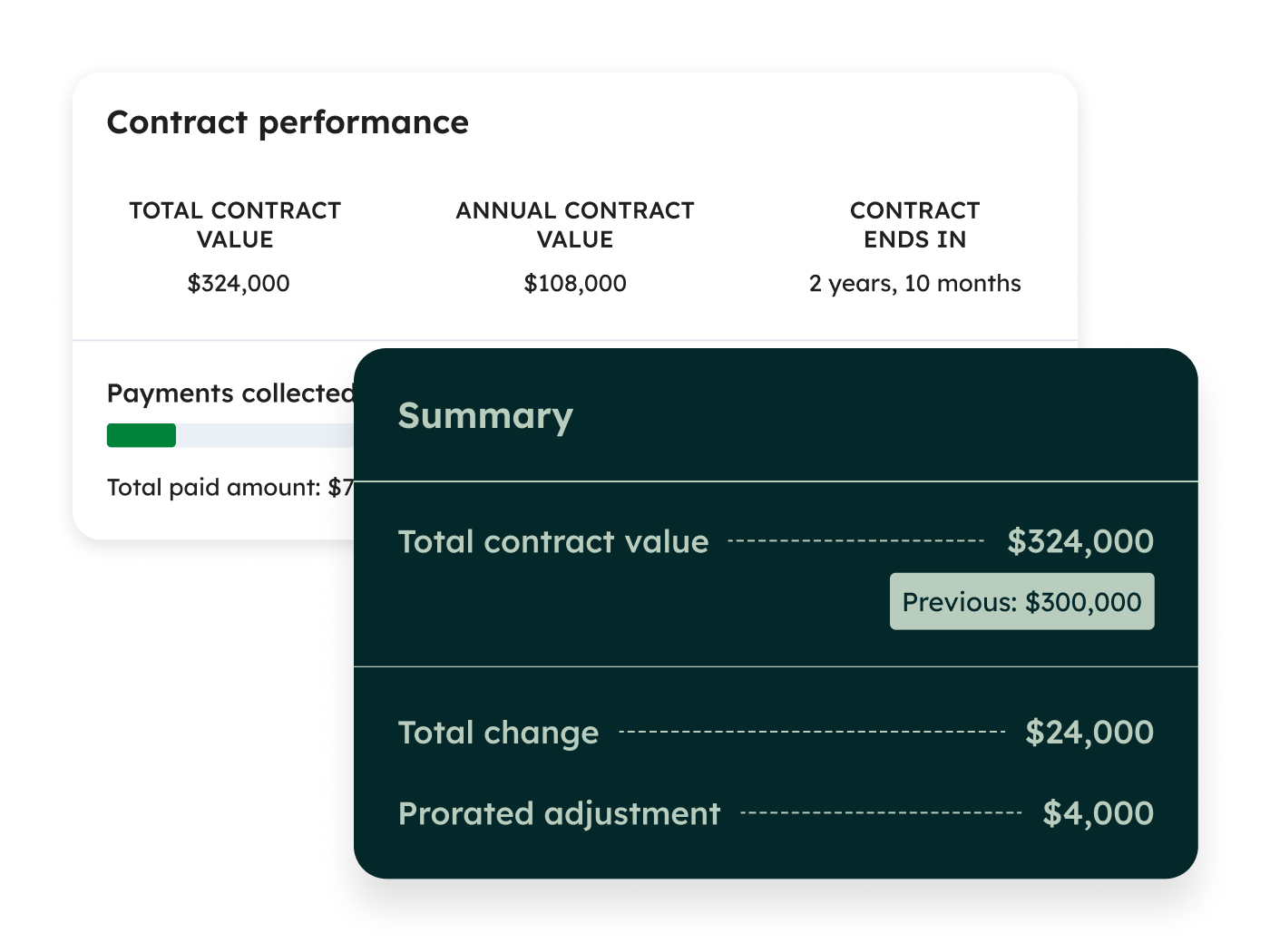
Contracts changes that. You can now manage renewals and amendments through quotes and see their impact on ARR in real time. For any business running on recurring revenue: SaaS, managed services, retainers: this is massive. No more guessing what your renewal pipeline looks like or manually calculating the revenue impact of an upsell amendment mid-contract.
It's in public beta, so expect some rough edges, but the direction is right. This positions Commerce Hub as a genuine contender for businesses that have been leaning on Chargebee, Zuora, or even just a particularly ambitious Google Sheet.
Who should care: Any HubSpot user managing recurring revenue, subscriptions, or multi-year contracts.
2. Reddit in HubSpot (Marketing Hub): Meet Your Audience Where They Actually Talk
This one surprised us. Reddit has quietly become one of the most influential platforms for B2B buying decisions; people trust Reddit threads more than they trust vendor websites, and Google's been surfacing Reddit content heavily in search results.
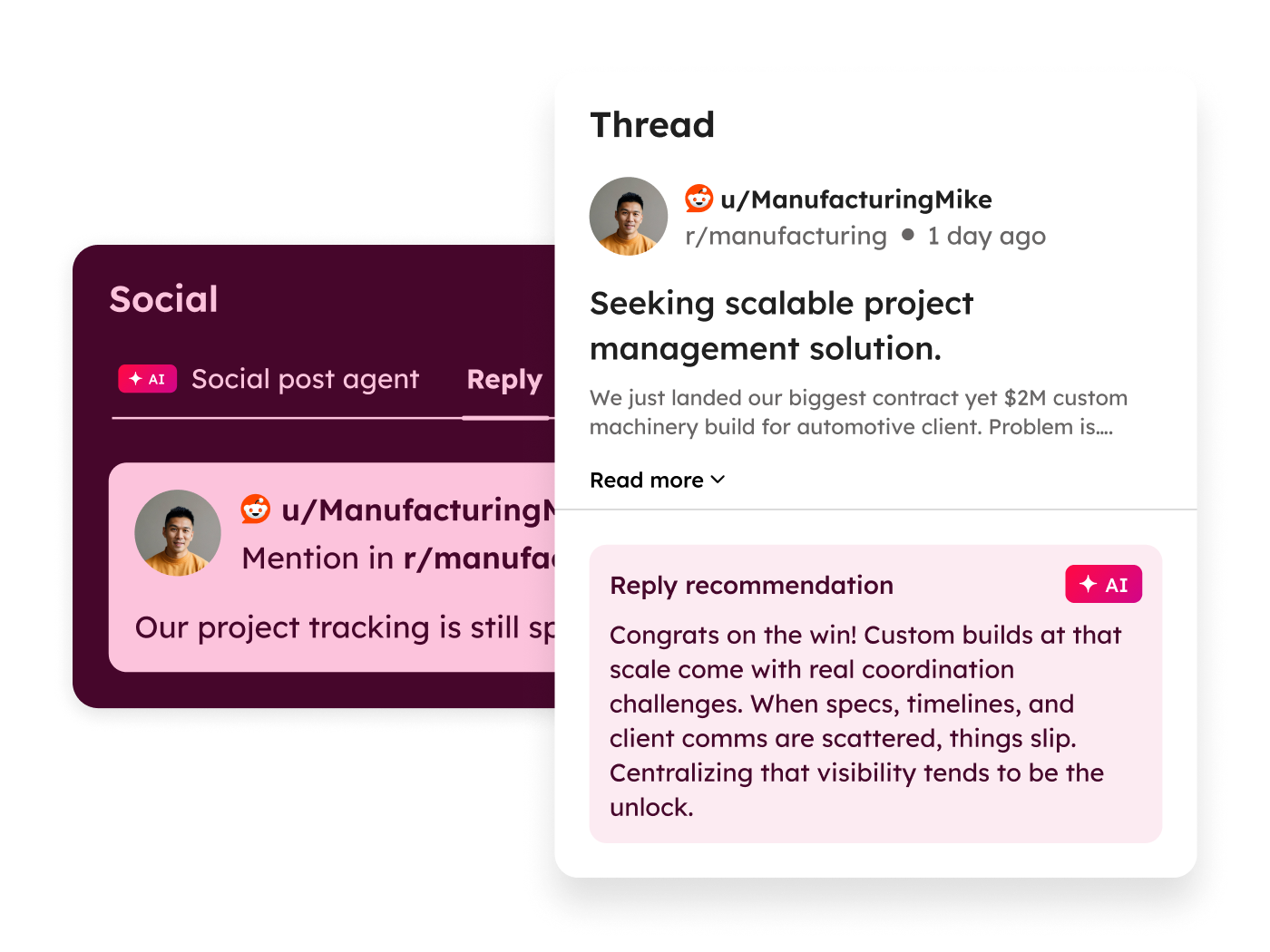
Now you can find and join Reddit conversations and publish responses directly from HubSpot. That's a meaningful shift from HubSpot's traditional social playbook of "schedule posts to LinkedIn and Facebook." Reddit requires a completely different approach: you can't just broadcast, you have to actually participate: and the fact that HubSpot is building native tooling for it tells you where they think attention is moving.
The risk? Brands that treat this like another broadcast channel will get destroyed by Reddit's community. Used well though, this is a genuine competitive advantage for companies willing to show up authentically.
Who should care: Marketing teams in B2B, especially in tech, SaaS, and professional services where Reddit conversations influence buying decisions.
3. HubSpot AEO: Answer Engine Optimisation (Marketing Hub / Breeze)
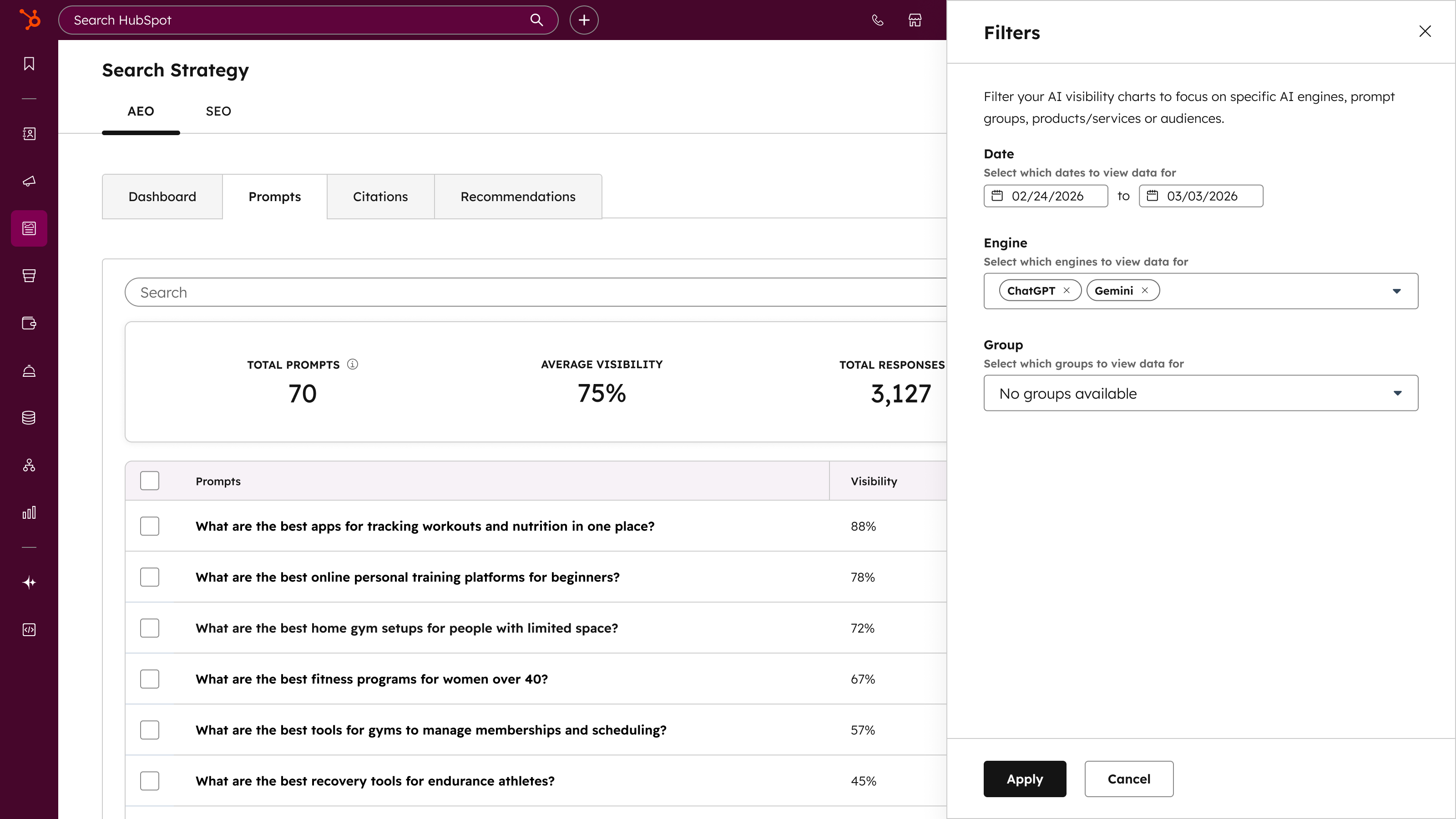
AEO lets you measure, track, and improve your brand's visibility in AI responses: think ChatGPT, Gemini, Perplexity, and Claude. As more people get answers from AI instead of clicking through to websites, understanding whether your brand shows up in those AI-generated responses is becoming critical.
This is genuinely forward-thinking from HubSpot. Most marketing platforms haven't even acknowledged this shift yet, let alone built tooling around it. It's early days (public beta), but the companies that start tracking their AI visibility now will have a significant head start when this becomes the default way people research products and services.
Who should care: Every marketer. Seriously.
4. Serverless Functions: Now on ALL Enterprise Hubs
This is the one that has us most excited from a technical standpoint. Serverless functions have existed in HubSpot for a while, but they were locked to CMS Hub (now Content Hub). That meant if you wanted to run custom server-side logic: API middleware, complex calculations, custom integrations: you either needed Content Hub Enterprise or you were building external infrastructure.
Now it's available across all Enterprise hubs. That's a game-changer for implementation partners like us. Custom coded workflow actions are great, but they have limitations. Serverless functions open up proper backend logic: webhooks, API orchestration, data transformation: without needing to spin up an external server.
For agencies and developers building on HubSpot, this dramatically reduces the need for external middleware like n8n, Make, or custom Node.js servers for many use cases. Not all of them: but a significant chunk.
Who should care: Any Enterprise-tier HubSpot user doing custom integrations, and every HubSpot developer.
5. Breeze Assistant in Slack
Simple concept, massive quality-of-life improvement. Access Breeze AI directly from Slack for CRM queries, content generation, and task management.
The best CRM is the one people actually use, and for a lot of teams, Slack is where they live. Being able to ask "What's the status of the Acme deal?" or "Create a task to follow up with Sarah" without leaving Slack removes a genuine friction point. It's not revolutionary technology, but it's the kind of practical integration that actually changes daily behaviour.
Who should care: Any team that lives in Slack and uses HubSpot. So... most of them.
6. HubSpot for Google Sheets (Breeze)
We've been waiting for this one. The existing Google Sheets integration has always felt like an afterthought: limited sync options, clunky setup, and constant breakage.
The new version brings HubSpot data directly into Google Sheets with AI-powered sync. If this works as advertised, it could eliminate a huge amount of the "export to CSV, clean up, paste into spreadsheet" workflow that operations teams do daily. Real-time CRM data in the tool where most people actually do their analysis? Yes please.
Who should care: Operations managers, finance teams, anyone who currently exports HubSpot data to spreadsheets (which is everyone).
7. TikTok Ads & Organic Social in HubSpot (Marketing Hub)
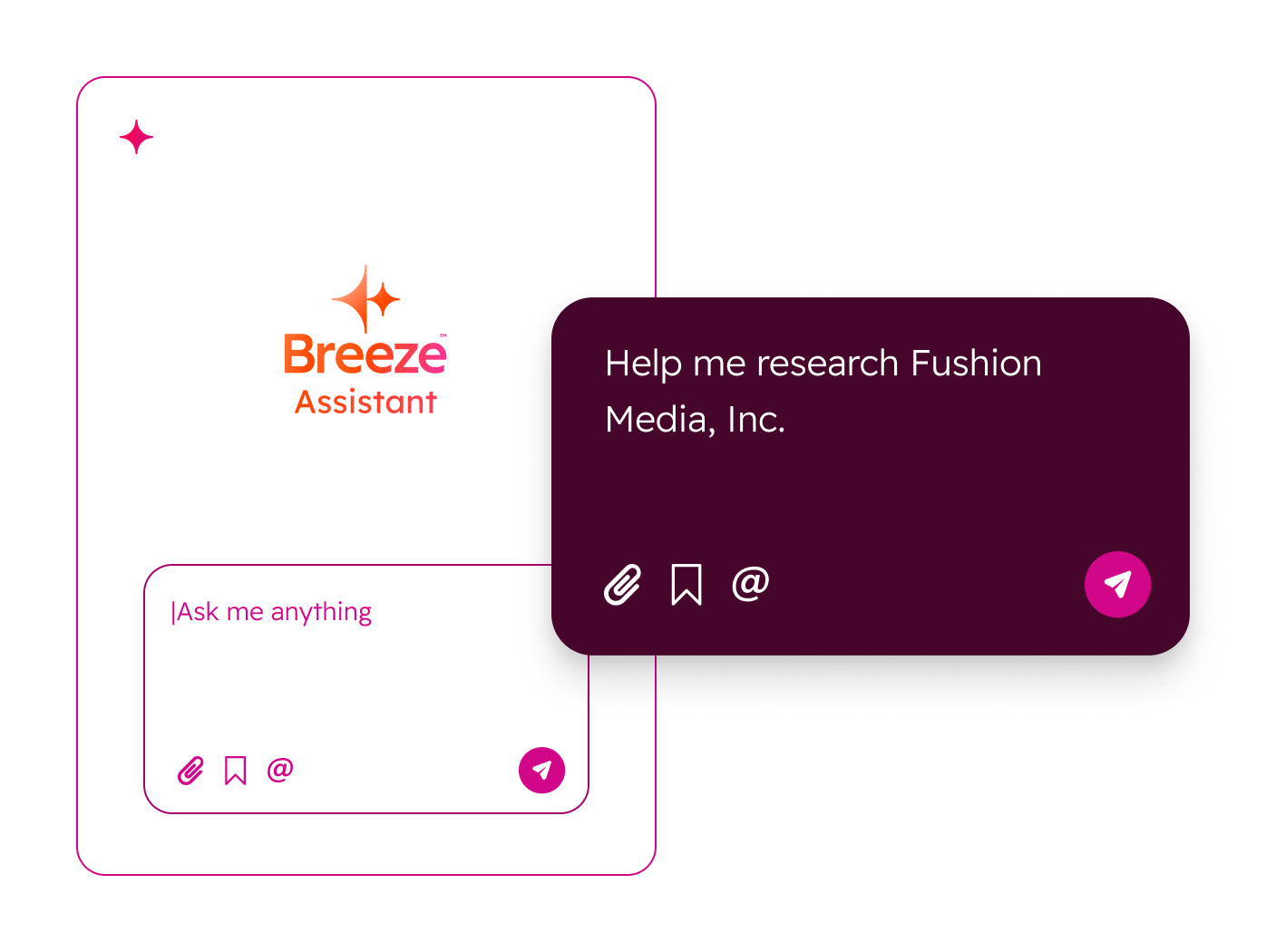
HubSpot's getting two TikTok updates in this release: ad campaign management with full attribution, and organic TikTok publishing and management.
For brands targeting younger demographics or in B2C, this fills a genuine gap. HubSpot's social tools have traditionally skewed toward LinkedIn, Facebook, and Instagram. Adding TikTok: both paid and organic: acknowledges where attention has moved. The attribution piece is especially valuable; being able to tie TikTok ad spend back to actual deals in your CRM is something most marketing teams are doing with duct tape and hope right now.
Who should care: Marketing teams running or considering TikTok campaigns, particularly in B2C, e-commerce, and consumer-facing brands.
8. Deal Properties in Forms (Marketing Hub)
Sounds small. Isn't.
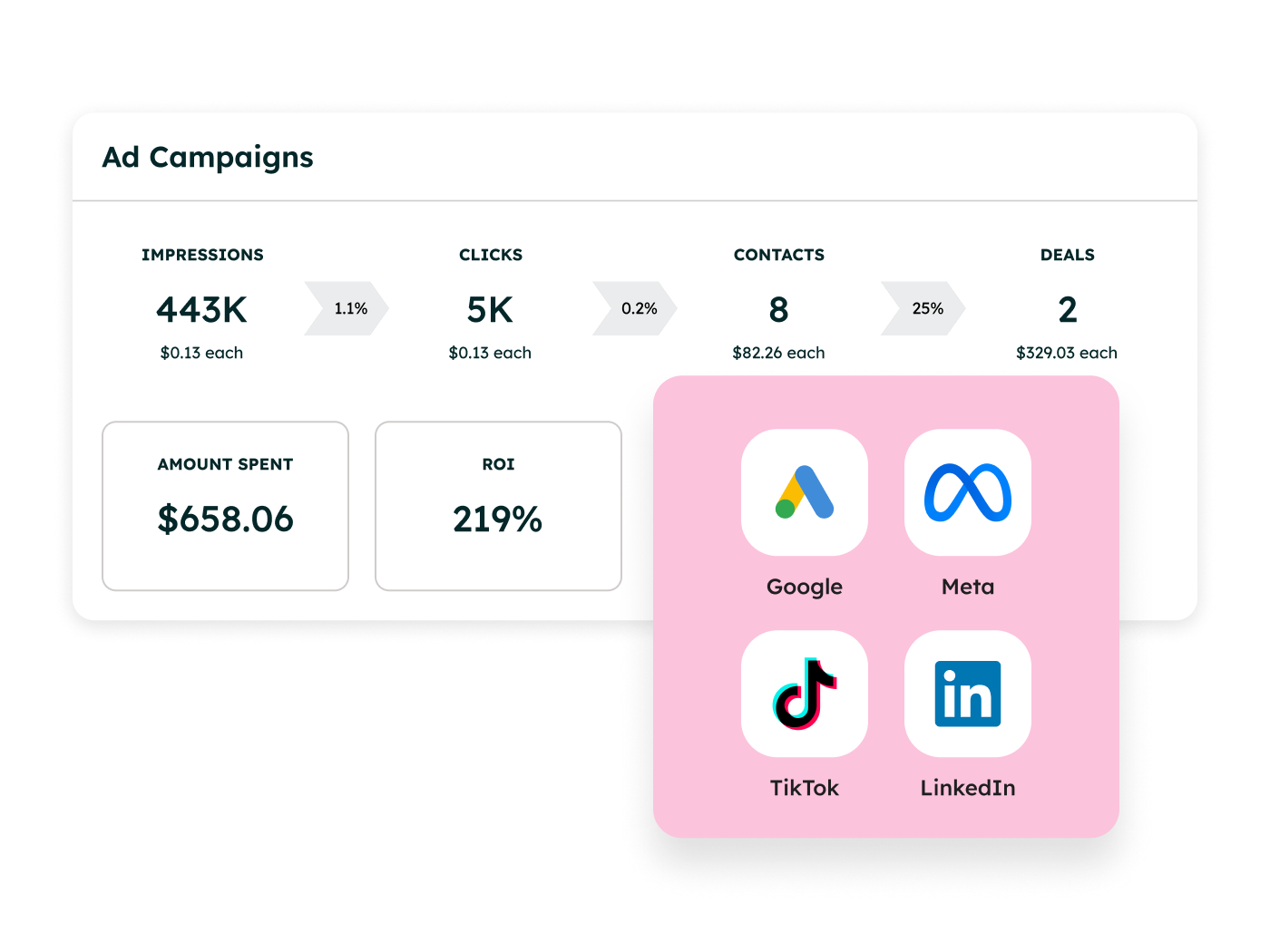
Being able to connect deal properties in forms means you can capture information that maps directly to your sales pipeline during lead capture. Think about it: instead of collecting generic form data and then having sales manually update deal records, you can structure your forms to populate deal-level fields from the start.
For businesses with complex qualification criteria: budget ranges, project timelines, specific requirements: this tightens the handoff between marketing and sales considerably. Less manual data entry, richer deal records from day one, and better qualification before a rep even picks up the phone.
Who should care: RevOps teams, anyone running inbound where form submissions create or update deals.
9. Google Drive Connector: Now on Records
The Google Drive integration is getting a proper upgrade with Breeze AI capabilities. What excites us most is the ability to connect Google Drive files directly to CRM records.
For teams that keep proposals, contracts, SOWs, and project documents in Google Drive (which is most of our clients), having those files surfaced contextually on the relevant contact, company, or deal record is a significant workflow improvement. No more digging through shared drives trying to find the right folder.
Who should care: Any team using Google Drive alongside HubSpot: especially sales and client services teams.
10. Custom Fonts in Marketing Email (Modern Email Editor)
This might seem like a minor one to round out a top 10, but anyone who's fought with HubSpot's email editor will understand why it matters.
The modern email editor now supports custom fonts, templates, and refined design tools. For brands with specific typography requirements (which is most brands that take their identity seriously), this removes one of the most frustrating limitations of HubSpot's email tooling. You no longer need to choose between brand consistency and using HubSpot for email.
Who should care: Marketing teams who've been compromising on email design to work within HubSpot's limitations.
👉Need help with your marketing operations? You should check-out our marketing operations support services.
All New Features (13)
These are the completely new additions to HubSpot: features that didn't exist before this release.
HubSpot AEO: Answer Engine Optimisation
Hub: Marketing Hub, Breeze | Status: Public Beta
Covered in our Top 10 above. The headline: measure and improve your brand's visibility in AI-generated responses. This is HubSpot planting a flag in the future of search. Early-stage, but strategically important.
Reddit in HubSpot
Hub: Marketing Hub | Status: Public Beta
Also in our Top 10. Native Reddit integration for finding, joining, and responding to conversations. A smart play from HubSpot: Reddit's influence on B2B buying decisions is only growing.
Contracts
Hub: Commerce Hub | Status: Public Beta
Top 10 pick. Renewal and amendment management through quotes with real-time ARR impact. This fills one of Commerce Hub's most significant gaps.
HubSpot AI Connectors
Hub: HubSpot Marketplace
Bring HubSpot data into ChatGPT, Gemini, Claude, and Copilot. This is interesting: it's HubSpot acknowledging that their platform isn't the only place people work and making it easier to pull CRM context into AI tools.
For us, having HubSpot data accessible in Claude is immediately useful. We already use Claude extensively for analysis and strategy work; having it pull live CRM data without needing a custom integration removes friction.
2026 Essential Apps for Marketers
Hub: HubSpot Marketplace, Marketing Hub
A curated collection of marketing apps. Helpful for newer HubSpot users building their stack, but not groundbreaking. Think of it as HubSpot's "recommended reading list" for your tech stack.
2026 Essential Apps for Sales
Hub: HubSpot Marketplace, Sales Hub
Same concept for sales. Useful curation, helps teams discover integrations they might not know about. You'll probably also like Sequential, our app for easy sequential numbering in HubSpot.
Customise Breeze Agents with MCP
Hub: HubSpot Marketplace, Breeze
This is a big one for developers. MCP (Model Context Protocol) is becoming the standard for connecting AI agents to external tools and data sources, and HubSpot is embracing it fully. You can now build and customise AI agents that connect Breeze to external tools and data.
The implications are significant: imagine Breeze agents that can pull data from your project management tool, your finance system, or your custom internal tools, all through a standardised protocol. This moves Breeze from "HubSpot's AI assistant" to "an AI platform that happens to live in HubSpot."
HubSpot for Google Sheets
Hub: HubSpot Marketplace, Breeze
Top 10 pick. AI-powered sync between HubSpot and Google Sheets. If this delivers on its promise, it's going to save operations teams hours every week.
Tech Partner Program & Governance
Hub: Developer Platform
New partner program structure for technology partners. This is more relevant to app developers than end users, but it signals HubSpot taking their ecosystem more seriously.
Modern API Infrastructure
Hub: Developer Platform
Improved API architecture with better performance, reliability, and developer experience. As people who spend a lot of time with HubSpot's APIs, we'll take any improvements we can get. Rate limiting, response times, and documentation have all been pain points: hopefully this addresses them.
Serverless Functions
Hub: Developer Platform
Top 10 pick. Custom server-side logic without infrastructure management, now available across all Enterprise hubs. This is transformative for custom development on HubSpot.
AI-Assisted Development
Hub: Developer Platform
AI tools to help developers build on HubSpot faster. The specifics are thin here, but if HubSpot can provide genuinely useful AI assistance for building workflows, custom objects, and integrations, it'll lower the barrier to entry for technical implementations.
Breeze Assistant in Slack
Hub: All Hubs, Breeze
Top 10 pick. Access Breeze from Slack for CRM queries, content generation, and task management. A smart move that meets users where they already work.
All Updated Features by Hub
Marketing Hub (13 Updates)
Loop Marketing Expert (Breeze)
Go from zero Loop knowledge to launching your first campaign in days. Loop has been HubSpot's answer to community and audience engagement, and this Breeze-powered onboarding makes it more accessible. If you've been ignoring Loop, this might be the nudge to try it.
Connect Campaigns to Your CRM
Public Beta Full campaign attribution across contacts, deals, tickets, and custom objects. This is a big deal for anyone trying to prove marketing ROI. Previously, campaign attribution was limited to marketing-specific metrics: now you can trace the entire journey from campaign touch to closed deal. The custom objects support is particularly welcome for businesses with non-standard data models.
Enhanced Campaign Asset Reporting
Find your top-performing campaign assets faster with richer metrics. An incremental improvement, but a welcome one: campaign reporting has historically been one of HubSpot's weaker areas compared to dedicated analytics platforms.
TikTok Ads
Full TikTok ad management with attribution, reporting, and optimisation. Covered in our Top 10.
TikTok Organic
Organic TikTok management and publishing. Having both paid and organic in the same platform means your social team gets a unified view of TikTok performance.
Campaign Management Improvements
Streamlined campaign creation, management, and performance tracking. The details are light, but anything that reduces the number of clicks to set up and manage a campaign is appreciated.
Centralise WhatsApp Business Messaging
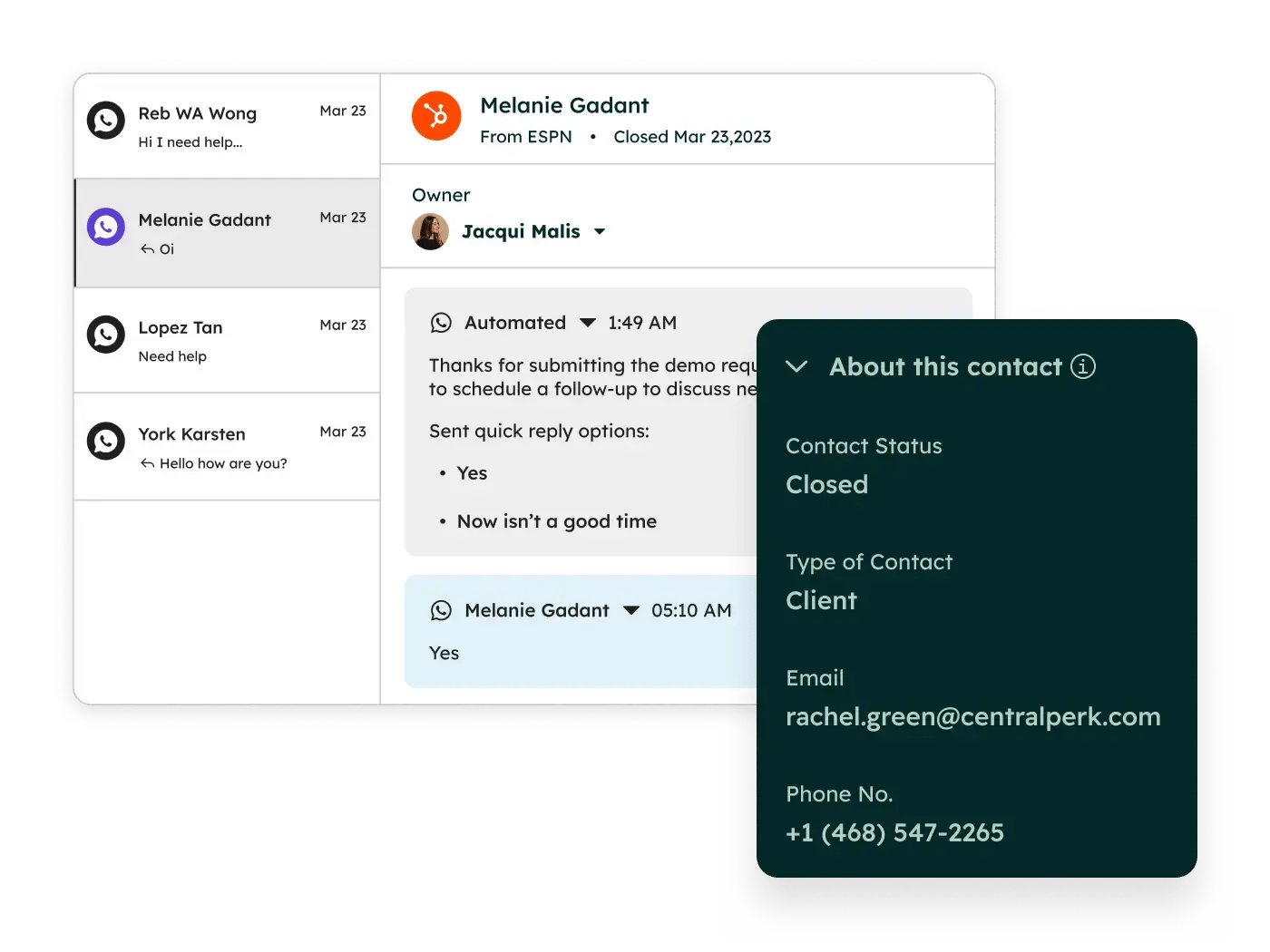
Bring WhatsApp Business into HubSpot. For businesses where WhatsApp is a primary communication channel: particularly in international markets, hospitality, or customer-facing services: this is significant. Managing WhatsApp conversations alongside email, chat, and phone in one help desk view is how it should work.
Subscription Event Reporting
Spot list health at a glance: see growth drivers and churn causes. Understanding why people subscribe and unsubscribe from your marketing has always been possible through manual analysis, but having it surfaced automatically is a genuine time-saver for email marketers.
Modern Email Editor
Custom fonts, templates, and refined design tools. Our Top 10 pick. The email editor has been HubSpot's Achilles heel for design-conscious brands: this goes a long way toward fixing that.
Multi-Account Management Enhancements
Manage up to 30 accounts and automate onboarding with APIs. For agencies, franchise businesses, and large organisations running multiple HubSpot portals, this is essential. The API-driven onboarding is especially interesting: it opens the door to programmatic portal setup, which is something we've been building tooling around already.
View Personalised Emails
See exactly what landed in each contact's inbox, including AI-generated content. Crucial for QA and troubleshooting. When a sales rep says "the email looked weird," you can now see exactly what was sent.
Smart Transfer for Marketing
Intelligently route marketing leads to the right team or workflow. Lead routing has always been possible through workflows, but if this adds genuine intelligence: factoring in capacity, expertise, and historical performance: it could meaningfully improve conversion rates.
Connect Deal Properties in Forms
Covered in our Top 10. Use deal properties in forms for deeper lead capture and qualification. A deceptively powerful update.
Sales Hub (14 Updates)
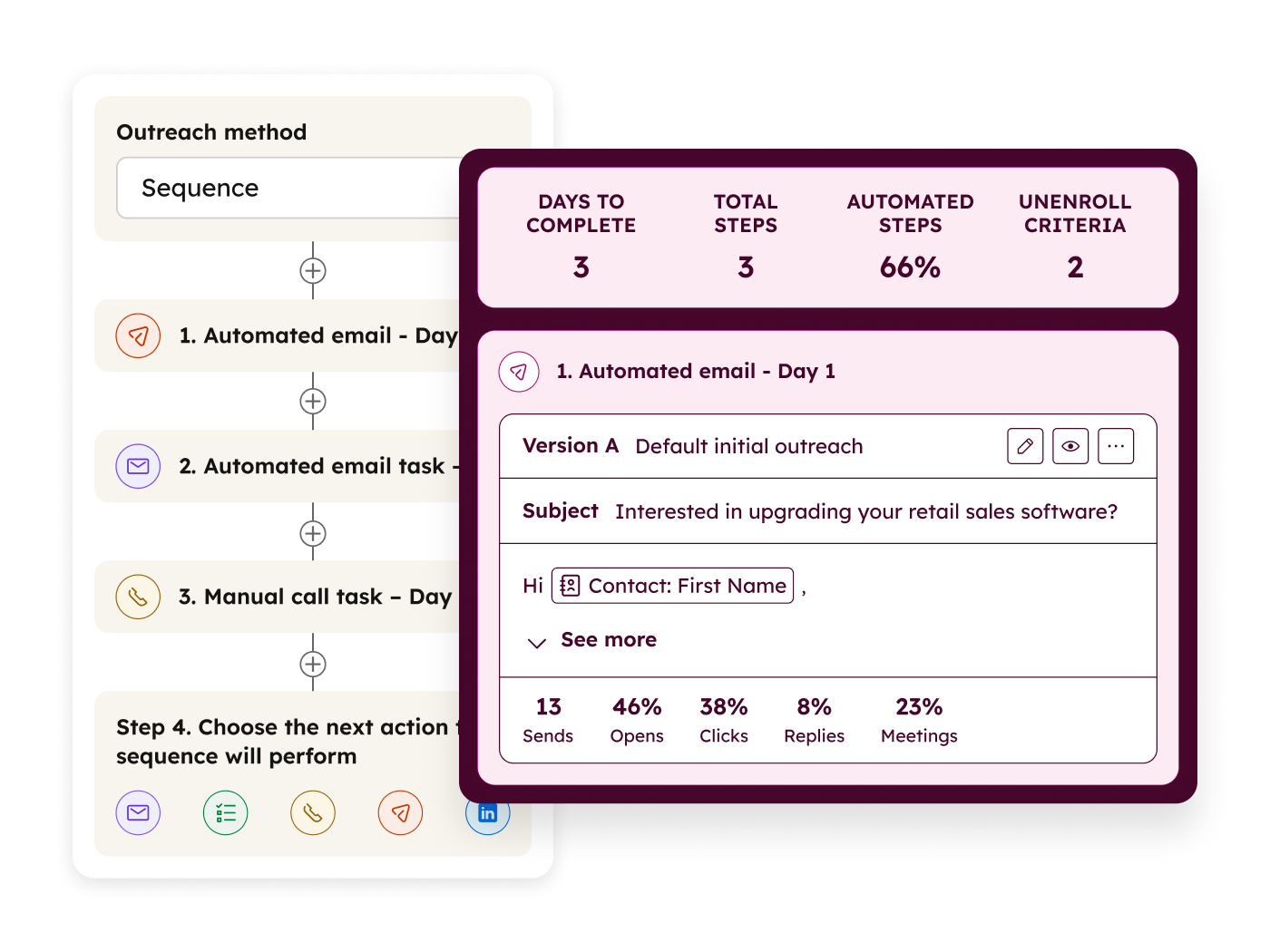
Prospecting Agent (Breeze)
AI agent that researches leads, crafts outreach, and books meetings. The promise of AI SDRs has been talked about endlessly: the question is execution. If Breeze can genuinely research a prospect, craft a relevant message, and handle the back-and-forth of booking a meeting, that's transformative for small sales teams. We'll reserve judgement until we see it in the wild.
Smart Deal Progression (Breeze / Data Hub / Service Hub)
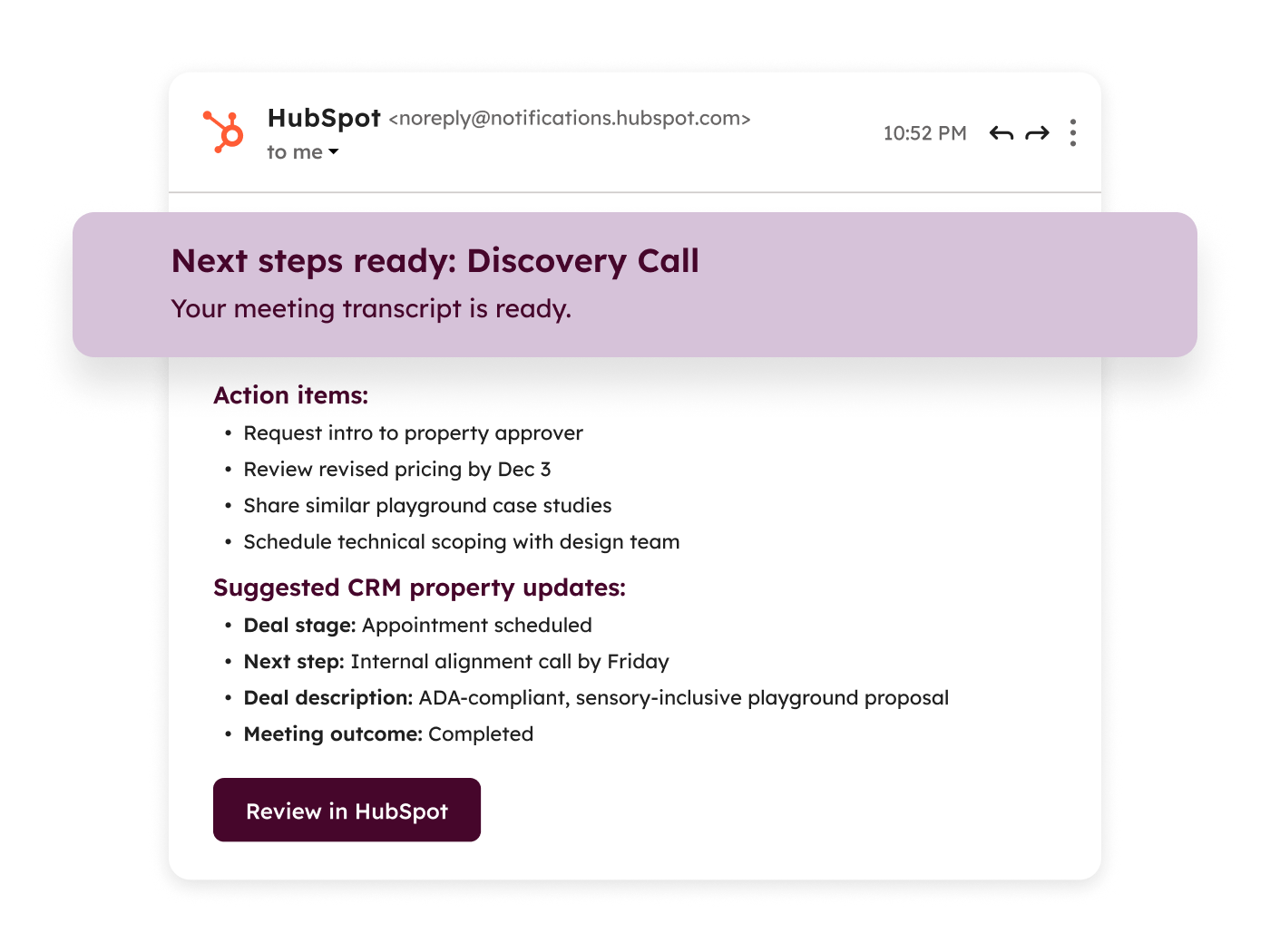
AI-powered deal stage progression with recommendations and risk signals. This could be genuinely valuable: most CRM data is only as good as the reps updating it, and if AI can nudge deals through stages based on actual engagement signals rather than manual updates, forecast accuracy improves dramatically.
Buying Groups
Track and manage buying committees for complex B2B sales. About time. Enterprise B2B sales almost never involve a single decision-maker, and HubSpot's contact-centric model has always struggled with the reality of 5-10 person buying committees. This feature lets you map out who's involved, what their role is, and where they stand: critical for any deal over a certain sise.
Vidyard Integration
Video messaging for personalised sales outreach. Vidyard has been a HubSpot ecosystem staple for years, but a tighter integration makes it easier to embed video into the sales process. Personal video messages consistently outperform text-only outreach: if your reps aren't using video yet, this lowers the barrier.
Advanced Controls for Meetings
More granular meeting scheduling controls and customisation. The details are scarce, but any improvement to the meetings tool is welcome: it's one of HubSpot's most-used features and has been relatively static.
Draft and Edit Sales 1-1 Emails
Public Beta Draft now, send later. Edit scheduled emails anytime. Sounds basic, right? But the inability to edit a scheduled email has been a genuine frustration. Small fix, big impact.
Better Organisation for Sales Content
Keep sales docs organised, on-brand, and secure. Content management for sales teams has been a weak spot: this should help teams that have hundreds of case studies, one-pagers, and proposals floating around.
Seamless Calling with Chrome Extension
Public Beta Call prospects directly from HubSpot's Chrome extension without switching windows. For sales teams that work from the Chrome extension rather than the full HubSpot interface, this is a solid quality-of-life improvement.
Email Template and Sequence Properties
Track email performance by template and sequence. Understanding which templates and sequences actually work is essential for optimising outreach: this gives you the data to do it properly.
Goal Progress Reporting
Leaderboard and gauge reports for goal tracking. Sales managers will love this. Visual progress tracking against targets, with leaderboards to drive competition. Simple concept, well-executed.
Reporting on goals is one of the things we do most for clients on our HubSpot Managed Service.
Import Historical Emails
Bring in past email history to enrich contact records. Incredibly useful for new HubSpot users or companies migrating from another CRM. Having historical context on a contact record means reps don't start from zero. (Gmail only for now)
Automatic Email Logging and Contact Creation
Automatically log emails and create contacts from correspondence. This reduces one of the biggest adoption barriers: reps forgetting (or refusing) to log their emails. Automatic logging means your CRM stays up to date without relying on human discipline.
Forecast Reporting API
Programmatic access to forecast data. For businesses that pull forecast data into external dashboards, BI tools, or board reports, having an API for this is essential. Manual exports are a thing of the past.
Connect Outlook GCC High Account
Support for government cloud environments. Niche, but critical for companies working with government clients who use Outlook's GCC High environment.
Service Hub (14 Updates)
Customer Agent: Multiple Brands
Deploy Customer Agent across multiple brands from a single portal. For businesses running multiple brands from one HubSpot instance, this is essential. You can now have different Customer Agent personas, knowledge bases, and responses for each brand: rather than a one-sise-fits-all bot.
Customer Agent 28-day Free Trial
Try Customer Agent free for 28 days across all hubs. Smart move from HubSpot: letting people experience AI-powered customer support before committing. If you've been on the fence about Customer Agent, there's no reason not to try it now.
Customer Agent: Rollout and Workflow Triggers
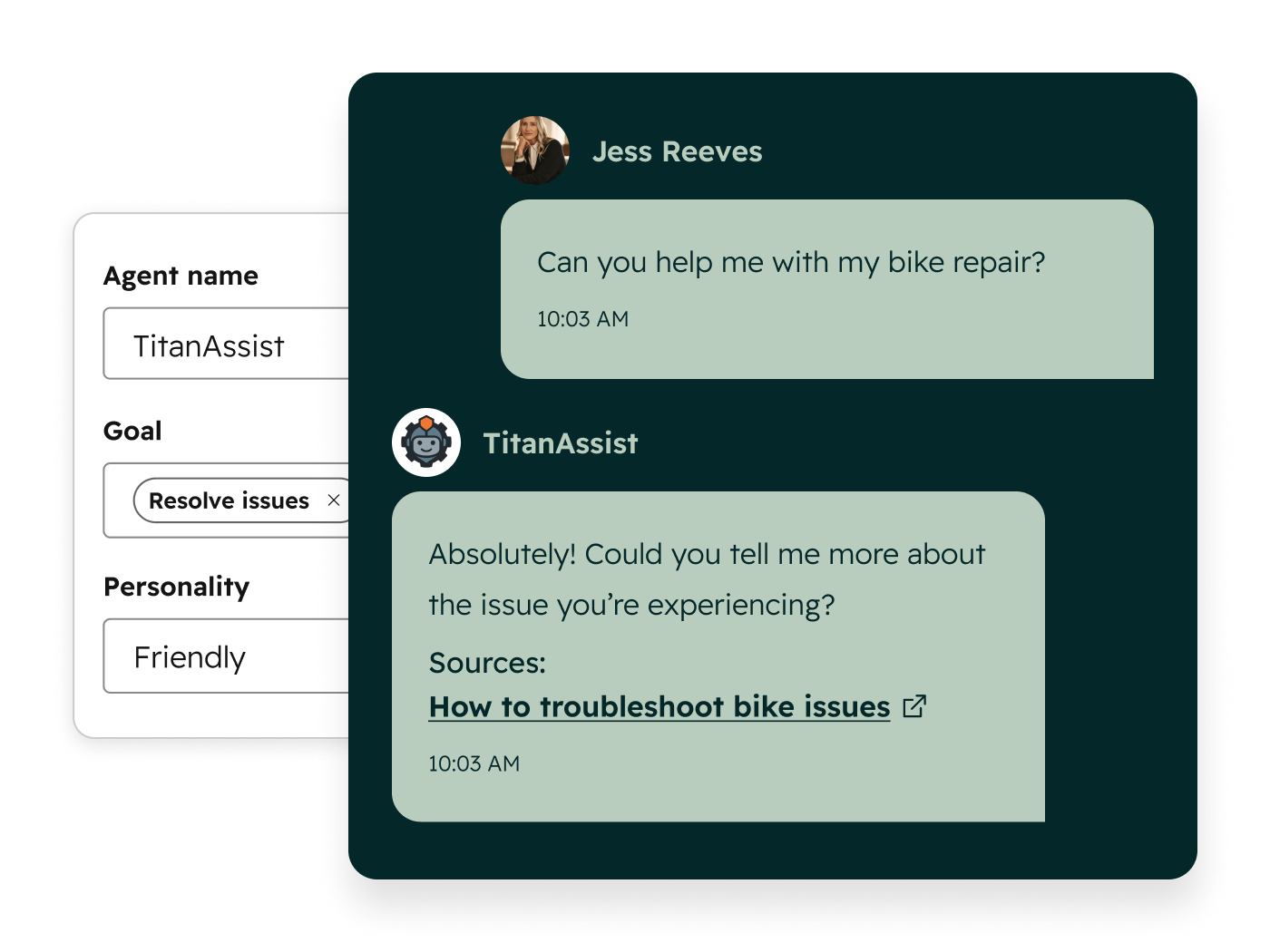
Gradual rollout controls and workflow triggers. This is important for enterprise deployments: you don't want to flip the switch on AI customer support for 100% of traffic on day one. Gradual rollout with workflow triggers means you can start with specific segments or ticket types and expand as confidence grows.
Customer Agent: Greater Customisation
More control over behaviour, tone, and responses. The more you can shape how Customer Agent communicates, the less it feels like a generic chatbot and the more it feels like your brand. This has been a common complaint: good to see it addressed.
Customer Agent Call Transfer to IVR
Seamlessly transfer Customer Agent calls to IVR systems. For businesses running phone support alongside digital channels, this bridges the gap between AI and traditional call routing.
Customer Agent: Structured Data
Customer Agent can now use structured data for richer, more accurate responses. This means your AI agent can reference product specs, pricing tables, availability data: anything structured: rather than just pulling from unstructured knowledge base articles. The accuracy improvement should be significant.
Customer Agent Source Performance
Identify which knowledge base content powers Customer Agent's best responses. This is clever: it creates a feedback loop where you can see which articles are actually useful for AI responses and which need improvement.
One-click Macros for Tickets
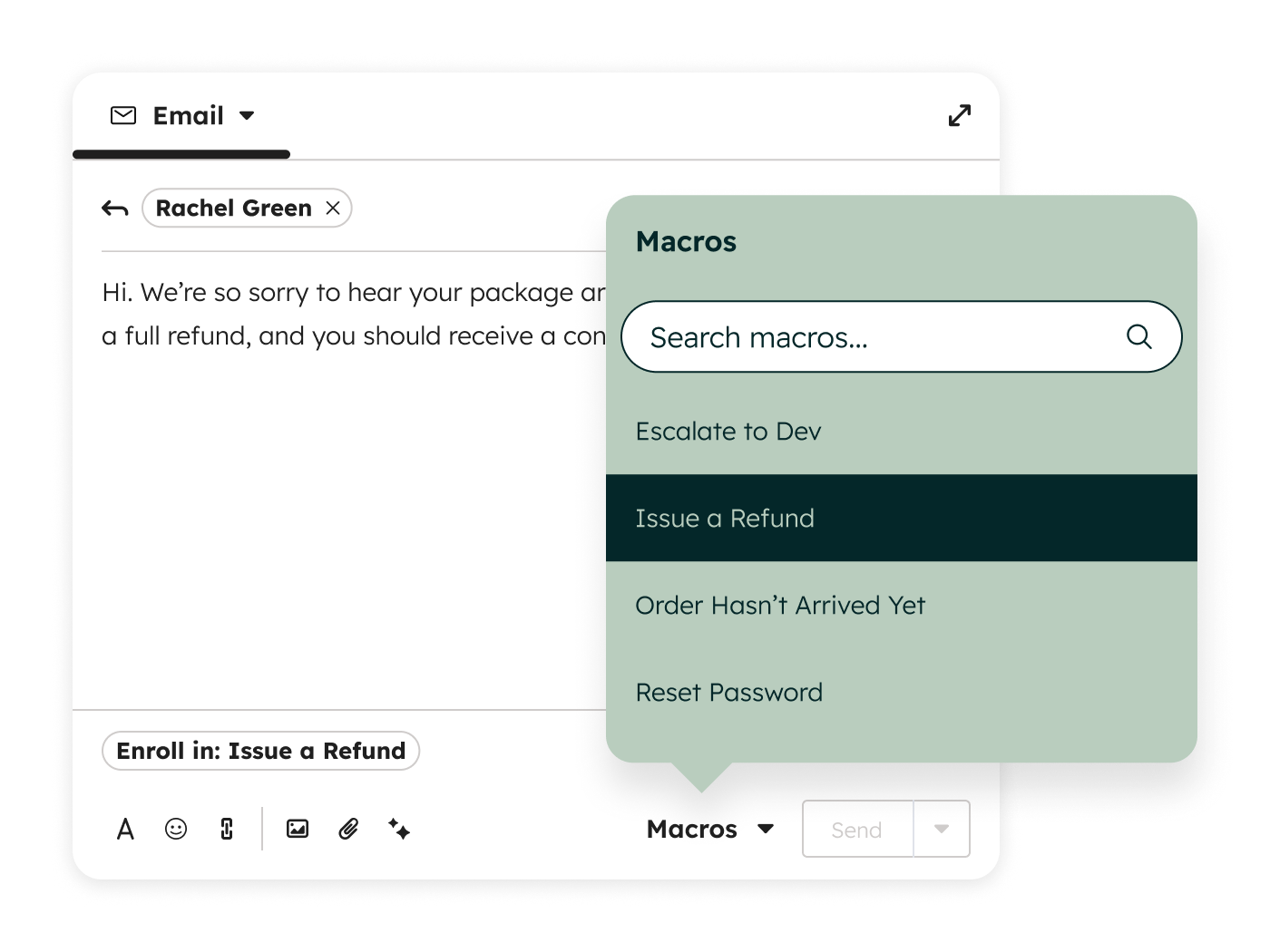
Apply common ticket actions with a single click. Time-saver for support teams handling high volumes. Standardise your common responses and actions, then apply them instantly.
CX Score
Unified customer experience scoring across interactions. A single score that reflects the overall quality of a customer's experience. Useful for identifying at-risk accounts before they churn and for benchmarking support quality.
Third-party Calling Apps in Help Desk
Use third-party calling providers directly within Help Desk. If you're using Aircall, RingCentral, or another calling provider, having it embedded in Help Desk rather than requiring tab-switching is a welcome improvement.
Automated QA
Automatically evaluate support quality across conversations. Manual QA of support conversations doesn't scale. Automated QA can flag issues, score interactions, and identify coaching opportunities without a manager reading every transcript.
Calling Notetaker
AI-powered note-taking during support calls. Similar to tools like Fathom or Gong, but built directly into HubSpot. Support reps can focus on the conversation instead of frantically typing notes.
Shared Customer Spaces
Collaborative spaces for customers and support teams. Think of it as a shared workspace where customers can see ticket progress, share files, and communicate with their support team: rather than everything happening through email threads.
Caller ID
Identify incoming callers with CRM data. When a known contact calls, your team immediately sees their name, company, deal history, and recent tickets. Simple, but it means your team is prepared before they even answer.
Content Hub (5 Updates)
AI-Powered Video Creation (Breeze)
Create marketing videos using AI directly in HubSpot. The quality and usefulness will depend heavily on the output: AI video has come a long way, but it's still hit-or-miss for professional use. Worth experimenting with for social content and internal communications.
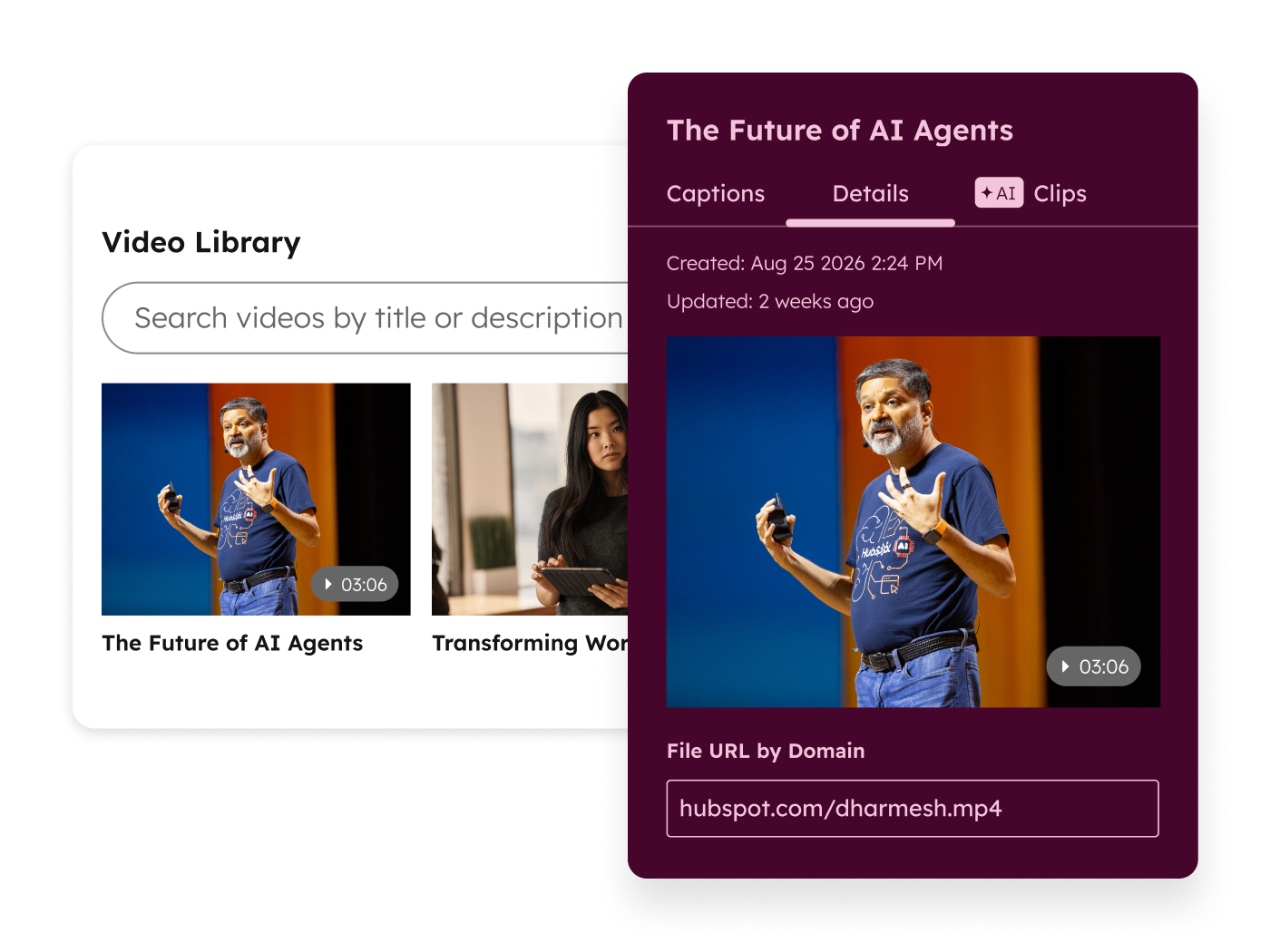
AI Image Generation & Editing (Breeze)
Generate and edit images with AI in HubSpot. Useful for teams that need quick visuals without waiting for a designer. Not a replacement for professional design work, but great for blog headers, social graphics, and placeholder imagery.
Canva Integration
Design content in Canva and use it across HubSpot. For teams already using Canva (which is most marketing teams at this point), having a native integration means your designs flow into HubSpot without the download-upload dance.
Brand Voice Enhancements (Breeze)
Improved brand voice controls for AI-generated content. As AI generates more of your content, making sure it sounds like your brand becomes critical. Better voice controls mean less editing of AI output.
Video Recording
Record video directly within HubSpot. Reducing friction for video content creation is always a good move. Quick videos for knowledge base articles, customer communications, or internal updates: all without leaving HubSpot.
Commerce Hub (14 Updates)
Automatic Sales Tax Calculation
Automatically calculate sales tax on quotes and invoices. For US-based businesses dealing with the complexity of state-by-state sales tax, this is a significant operational improvement. Less manual calculation, fewer errors.
Display 0% Tax Calculations
Show zero-tax line items for transparency and compliance. Sounds minor, but compliance requirements in many jurisdictions require you to explicitly show that tax was considered even when the rate is 0%. Good to see HubSpot handling this edge case.
Auto-generate Quote Content
Automatically generate quote content from deal data. This should speed up the quoting process significantly: pulling product details, quantities, and pricing from the deal record rather than re-entering everything manually.
Generate Quotes with Breeze
AI-powered quote generation. Taking auto-generation a step further with AI that can craft the narrative sections of a quote: the cover letter, executive summary, or scope description. The time savings for sales teams sending multiple quotes per week could be substantial.
Invoice Credit Memos
Issue credit memos against invoices. A basic accounting function that Commerce Hub was missing. Essential for handling partial refunds, billing adjustments, and returns properly.
Manage Line Item Permissions
Control who can view and edit line items. Important for businesses where pricing is sensitive: you might want reps to see line items but not edit them, or restrict certain products to specific teams.
Quote and Line-item Level Custom Properties
Custom properties at the quote and line-item level. This unlocks a lot of flexibility: you can now track custom data at the line item level. Think delivery dates, custom specifications, warranty terms, or any other detail specific to individual line items rather than the overall deal.
Link Line Items with Custom Objects
Associate line items with custom objects. For businesses with complex product models: where a line item might relate to a project, a location, a vehicle, or any other custom entity: this creates proper data relationships instead of workarounds.
Standard Quote Approvals
Built-in approval workflows for quotes. Finally. Quote approvals have been one of the most common workflow automations we build for clients: having it built in with a standardised process means less custom work and more consistency.
Collect Billing Details in Quotes
Capture billing information within the quoting process. Streamlines the quote-to-cash flow by collecting payment details upfront rather than chasing them after the deal closes.
Organise Quotes Your Way
Custom views and organisation for quote management. For teams managing dozens or hundreds of active quotes, being able to filter, sort, and organise them your way is essential.
Multiple Stored Payment Methods
Store and manage multiple payment methods per customer. Important for businesses with customers who pay different invoices from different accounts or cards: particularly common in B2B.
Branded Payments and Invoices
Your logo and brand colours on invoices, payment links, and credit memos. Professional presentation matters. Generic-looking invoices and payment pages undermine the brand experience you've built everywhere else.
Improved Xero Integration
Send invoice and payment data to Xero automatically. This one's close to our hearts: a lot of our clients use Xero, and the existing integration has been unreliable. Automatic invoice and payment sync means finance teams aren't manually reconciling between two systems.
We've implemented Xero for ourselves, and is now something we can offer as a service to clients too, so if you need help connecting Xero to HubSpot let us know.
Data Hub & Smart CRM (13 Updates)
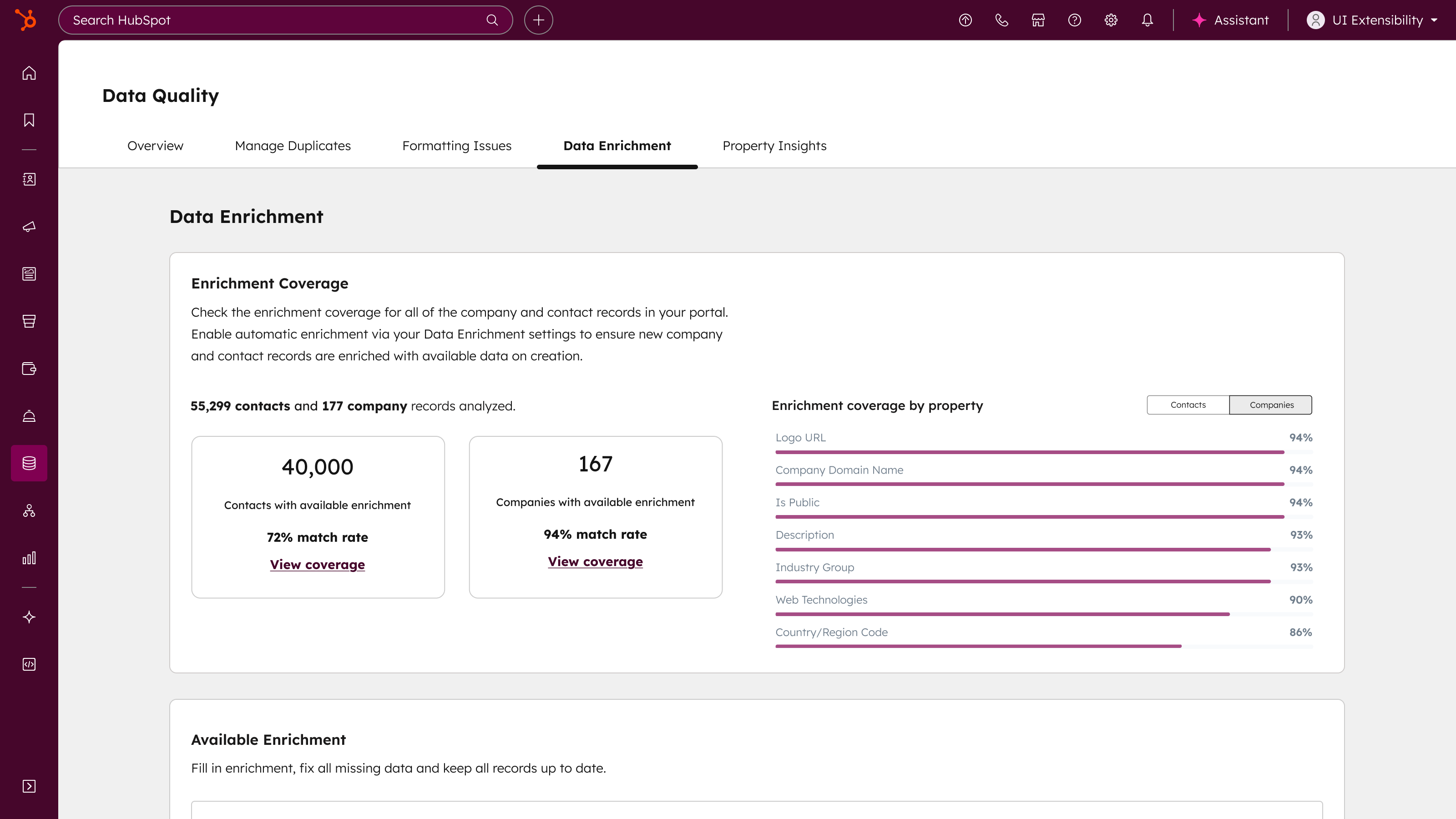
Improved Contact Enrichment and Match Rates
Better data matching and enrichment accuracy for contacts. Data enrichment is only as good as its match rate: if it can't find or correctly match your contacts, it's useless. Improvements here mean more complete contact records with less manual research.
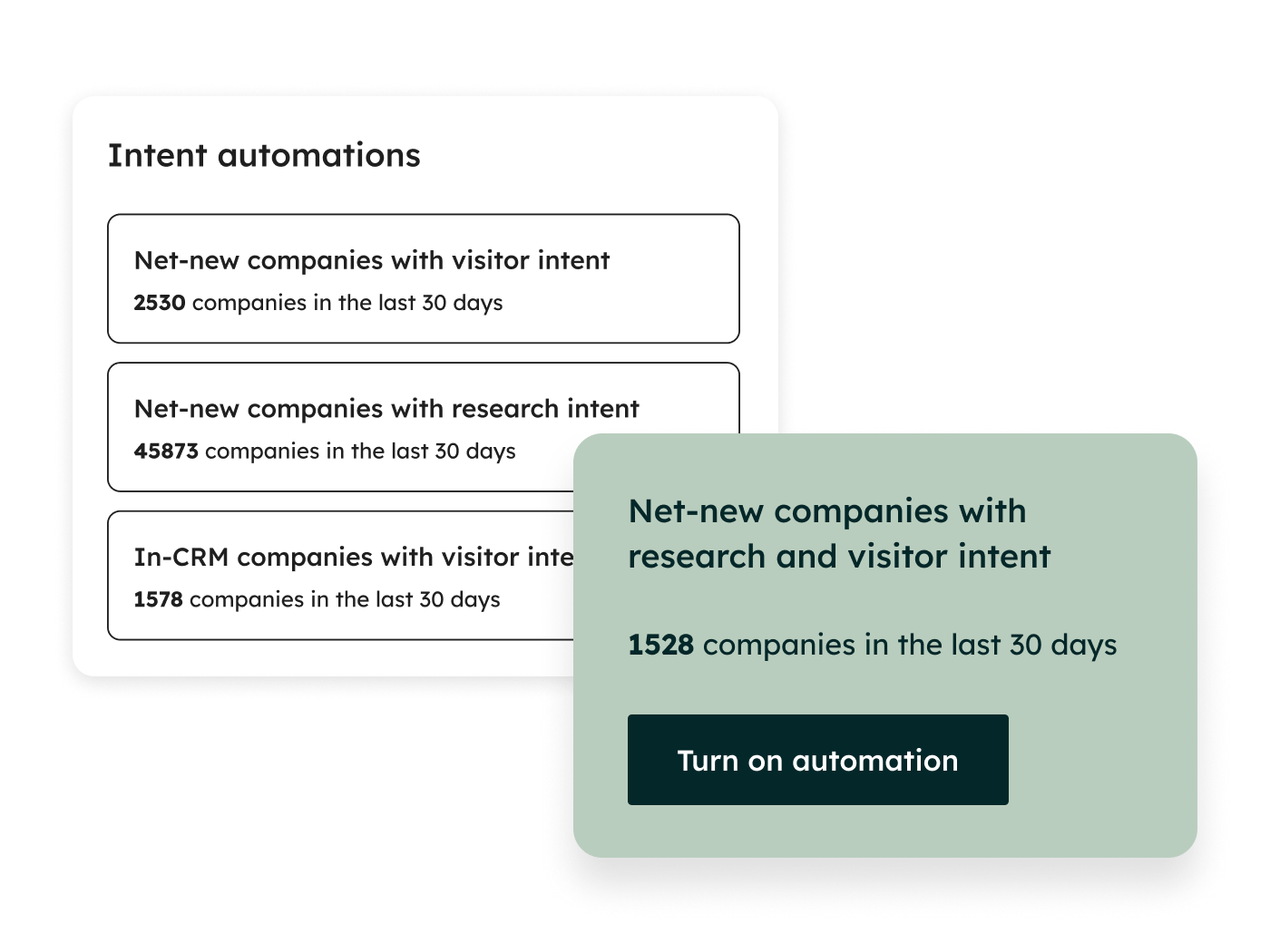
Expanded Buyer Intent Signals (Breeze)
More signals to identify companies researching your product. Intent data has been one of Breeze's more promising features: knowing which companies are actively researching solutions like yours gives sales teams a huge head start. More signals means more accuracy and coverage.
Scan and Redact Sensitive Data
Automatically find and redact sensitive information in your CRM. With data privacy regulations tightening globally, having automated PII detection and redaction is increasingly a compliance requirement, not a nice-to-have. This is especially relevant for businesses in financial services, healthcare, and insurance.
Conditional Property Rules
Show different property values based on conditional logic. This adds a layer of dynamic behaviour to your CRM properties. Think showing different dropdown options based on deal type, or different required fields based on product line. It makes forms and records more contextual and less cluttered.
Data Agent: Richer Customer Context (Breeze)
AI-powered data agent providing deeper customer context. Having Breeze proactively surface relevant context about a customer: their history, preferences, support issues, buying patterns: means your team spends less time digging and more time acting.
Fix CRM Errors Fast
Quickly identify and resolve CRM data issues. Data quality is the silent killer of CRM adoption. If HubSpot can surface errors proactively: duplicates, missing fields, formatting inconsistencies: and make them easy to fix, that's a major win for data hygiene.
Property Data Rules for Breeze and APIs
Enforce data rules across AI and API interactions. This is a governance feature that matters more than it sounds. When AI agents and API integrations are creating and updating records, they need to follow the same validation rules as human users. This ensures your data quality standards apply regardless of how data enters the system.
Dataset Creation Improvements
Easier and more flexible dataset creation. Datasets in HubSpot have been powerful but fiddly to set up. Improvements here lower the barrier to building custom reporting views.
Data Studio: New Data Warehouse Connections
Connect to additional data warehouses. For businesses running Snowflake, BigQuery, or other data warehouses, more connection options mean HubSpot can be a more central part of your data architecture.
Multi-object Dataset Syncs
Sync datasets across multiple CRM objects. Previously limited to single-object datasets, this opens up cross-object analysis: think combining deal data with custom object data in a single report.
Dataset Fields in Segment Filters
Use dataset fields when building audience segments. This bridges the gap between reporting and action: you can now use the same custom data fields you've built for reporting to define marketing segments.
Easier Data Sync Management
Simplified data sync management. Data sync has been one of HubSpot's quieter success stories, but managing multiple syncs can get unwieldy. Simplification is always welcome.
Route Tickets Based on Availability
Route support tickets based on agent availability data. Smart routing means tickets go to agents who can actually handle them right now, not to a team queue where they sit waiting for someone to become free.
Platform / All Hubs (6 Updates)
Project Subtasks
Public Beta Split tasks into subtasks. Project management in HubSpot has been limited by the lack of task hierarchy. Subtasks add a layer of granularity that makes projects genuinely manageable within the platform.
Projects API
Update a project once, every connected tool reflects it. For businesses that reference project data across multiple systems, having an API means you can keep everything in sync programmatically.
Default Property Values
Set property defaults once, eliminate manual entry. A small change that saves time at scale. If 90% of your new deals start at a specific stage, or most new contacts are assigned to a default owner, setting defaults eliminates repetitive work.
New Standard Sandbox
Experiment safely in a sandbox environment. Sandboxes have been available but limited. An improved standard sandbox means more teams can test changes, workflows, and integrations without risking their production data. We're still gutted this is limited to Enterprise though.
Custom Reports on CRM Records
Add custom reports right on any CRM record. Context where you need it. Instead of navigating to the reporting dashboard, you can now embed relevant reports directly on deal, contact, or company records. Your sales rep sees the revenue chart right on the company record they're looking at.
Account Cleanup Preview and Custom Date Range
Preview deletions and target the right date range. Anyone who's done a CRM cleanup knows the anxiety of bulk deleting records. Preview mode and custom date ranges give you the confidence to clean without catastrophe.
HubSpot Marketplace (4 Updates)
Tools for Integration Managers (Breeze)
Integration performance analysis with Breeze. If you're managing multiple integrations, having AI-powered performance analysis helps you identify which integrations are working, which are breaking, and where the bottlenecks are.
Expanded Marketplace Discovery
Smarter search and Breeze recommendations for apps. The marketplace has always been overwhelming: better discovery means you're more likely to find the right app instead of settling for the first result.
110+ New and 22+ Featured App Updates
Over 110 new apps and 22+ featured app updates. The ecosystem continues to grow. Worth periodically reviewing the marketplace for new tools that solve problems you've been working around. Check out our Unmatched apps here!
Google Drive Integration (Breeze)
Enhanced Google Drive integration with Breeze AI capabilities. Covered in our Top 10: contextual file access on CRM records is the headline feature here.
Developer Platform (3 Updates)
Enhanced Developer Tools
Better development environment, tooling, and debugging. As HubSpot developers, we'll take any improvement to the development experience. Better debugging alone could save hours per project.
App Pages with UI Extensions
Build custom app pages using the UI extensions framework. This expands what's possible with UI extensions: instead of just custom CRM cards, you can now build entire app pages. Think custom dashboards, configuration screens, or entirely new views within HubSpot.
Build AI Connectors
Tools and APIs to build custom AI connectors for HubSpot. This complements the MCP support mentioned earlier: you can now build custom connectors that bring external AI capabilities into HubSpot, or expose HubSpot data to external AI systems through a standardised framework.
The Bigger Picture
Spring 2026 tells us a few things about where HubSpot is heading:
AI is no longer a feature, it's the foundation. Breeze touches almost every update in this release. It's not just about chatbots or content generation anymore; it's about AI-powered data enrichment, deal progression, customer support, development, and even quote generation. If you're not experimenting with Breeze, you're leaving value on the table.
Commerce Hub is growing up. Contracts, credit memos, tax calculations, quote approvals: HubSpot is making a serious play for the post-sale revenue operations space. It's not going to replace Salesforce CPQ or Zuora overnight, but for mid-market businesses, it's becoming a credible option.
The developer platform is becoming genuinely powerful. Serverless functions across all Enterprise hubs, UI extension app pages, MCP support, AI connectors: HubSpot is giving developers the tools to build sophisticated applications on the platform. This is how ecosystems mature.
Data quality and governance are front and centre. Sensitive data scanning, property data rules for AI and APIs, conditional property rules, CRM error detection: HubSpot is acknowledging that the best features in the world are useless if your data is a mess.
What's Missing?
No release is perfect, and there are a few things we'd still like to see:
-
Native multi-currency improvements: still clunky for international businesses.
- Full lead associations: HubSpot, we need to be able to associate Leads to Campaigns!
-
Proper project management: subtasks are a start, but HubSpot's project tools still can't compete with dedicated platforms.
- More flexible association labels in reporting: associations have improved, but reporting on labelled associations is still limited.
-
Custom object limits on lower tiers: custom objects remain locked to Enterprise, which prices out a lot of businesses that genuinely need them.
Need Help Making Sense of It?
If you're wondering which of these 99 features actually matter for your business, or how to implement them properly, that's literally what we do.
Unmatched is a HubSpot Diamond Partner specialising in implementations, migrations, and ongoing optimisation for growing businesses. We don't just switch things on: we make sure they work for your specific situation.
Written by the team at Unmatched: a HubSpot Diamond Partner based in Suffolk, UK. We've been in the HubSpot ecosystem since 2022 and hold HubSpot's onboarding accreditation in addition to helping over 150 clients so far with HubSpot. If it involves HubSpot, we've probably done it.