
Why HubSpot is Perfect for Legal and Professional Services
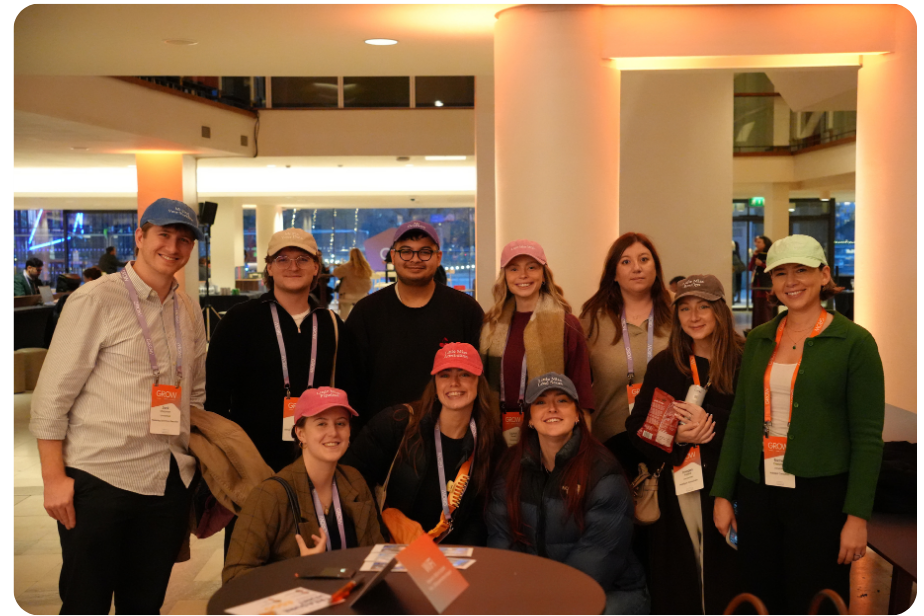
We all headed down to the Southbank for HubSpot GROW Europe this week, and what a day it was. We split off to catch the sessions most relevant to our roles, bumped into clients and friends from the HubSpot ecosystem along the way, and handed out our personalised hats (which went down a storm!).
The sessions gave us a lot of things to take away and think about. Here are the ones we think matter most for your portal.
The stat that framed the day: 90% vs 6%
The welcome keynote put one number on screen that really stuck out: 90% of companies use AI. Only 6% are seeing transformation.
That gap is the story of 2026. Nearly everyone has switched AI on. Almost nobody is getting much out of it.
HubSpot's answer was blunt, and we agree with it: the problem isn't the model, it's the context. AI that doesn't know your business, your customers or how your team works will give you generic output, however good the tool is. We see this in client portals every week. Breeze gets switched on, someone asks it to write an email, the result reads like it could have come from any company, and the team quietly goes back to doing it themselves.
What "good context" actually means
HubSpot split context into three layers. It's a useful framework:
-
Business context: brand, voice, positioning. In practice, that means your brand voice and positioning are written down somewhere AI can actually read, not living on a piece of paper on someone's desktop.
-
Customer context: conversations, customer personas, buying signals. This is your CRM data, so the quality of your properties, associations and activity logging decides how good this layer is.
-
Team context: roles, goals, approvals, methodologies. This is the one most businesses skip. Who signs off on what? What sales methodology do you follow? If it isn't documented, AI can't follow it.
Sounds obvious. Isn't. Most portals we audit have decent customer data, patchy business context and almost no team context at all. That third layer is where the 6% are pulling ahead.
Who should care: anyone who's rolled out Breeze or HubSpot's agents and found the output underwhelming. Fix the context before blaming the tool.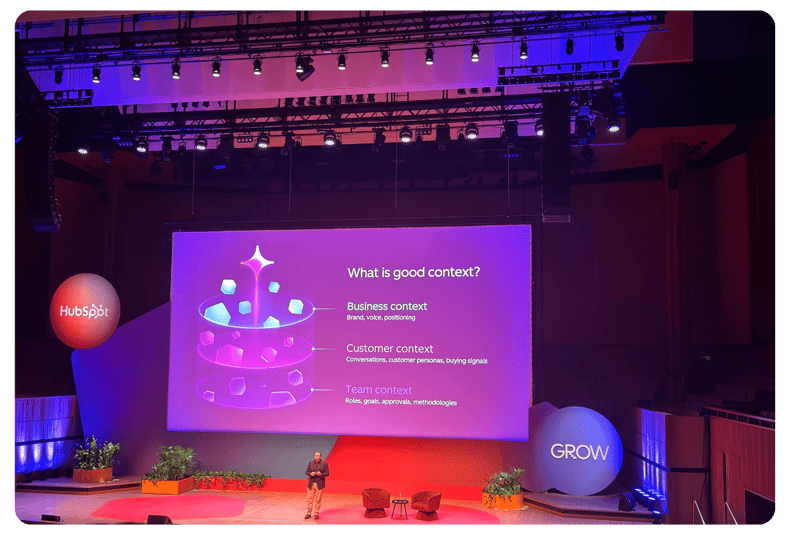
"A CRM only knows what someone remembers to tell it"
This line from the keynote stuck with us, because anyone who's worked in a CRM will recognise it. Calls don't get logged. Meeting notes stay in someone's notebook. Deals sit in the wrong stage for weeks.
HubSpot's answer is a CRM that keeps itself up to date, capturing activity automatically instead of relying on reps to remember. That's a big deal. It fixes the customer context layer at the source, so your AI and your reporting work from what actually happened, not just what someone had time to type up.
To get the most out of it, it's worth getting your foundations right first. Clean pipelines, clear lifecycle stages and well-structured properties give all that captured activity somewhere useful to land. It's also a good moment to review who can see what in your portal. That groundwork means you'll be ready to make the most of it from day one.
Headless CRM and the "customer relationship harness"
These were the two phrases from Duncan Lennox, HubSpot's Chief Product and Technology Officer, that we kept coming back to .
-
Headless CRM: HubSpot as the data and logic layer underneath, with AI agents and other tools reading from it and acting on it directly instead of everything happening through HubSpot's own screens.
-
Customer relationship harness: HubSpot as the thing that holds it all together: the data, the context and the agents doing the work.
Your CRM stops being where people type things in and becomes the source every tool and agent works from. That raises the stakes on data quality, permissions and integration design, which is exactly the work we do every day.
Agent building: where to actually start
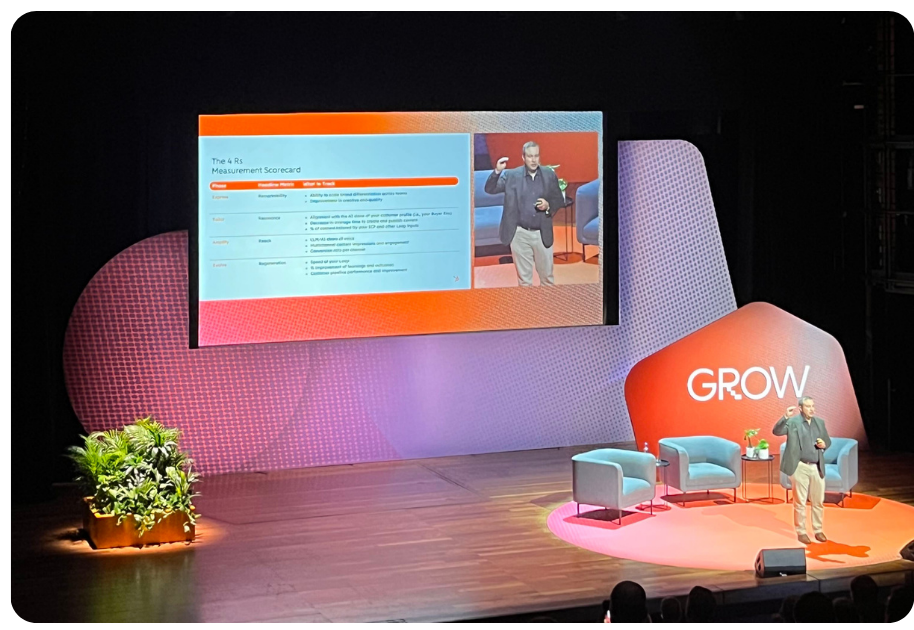
Agent building got a lot of airtime, including a live demo of Agent Hub and Agent Builder from Adam Cuzzort, HubSpot's VP & GM of Builder Platform. The focus was on building go-to-market agents that do useful work, and on how to choose your first use case.
Our advice on that first use case: go narrow and repetitive. Pick a well-defined, high-volume task with a clear right answer, like lead research, routing, ticket triage or data clean-up. Avoid starting with something that needs a lot of judgement. You'll learn more about your context gaps from one agent that works than from five that half work.
Two updates that landed in HubSpot's product updates on the same day are worth knowing about if you're building:
-
Agent User identities. Custom agents now get their own user profile and permissions in Users & Teams, instead of running on the full access of whoever built them. Sounds small but it's impactful. Before this, CRM changes made by an agent were credited to its builder, and the agent could do anything that person could. Now you can scope an agent like a new hire and see what it actually changed.
-
Looping in Agent Hub workflows. A new "Repeat" action runs a full sequence, branches included, once for each record in a list (up to 100). This cuts out a lot of awkward workarounds.
Who should care: RevOps and ops teams who've been holding off on agents because of governance worries. The permissions update removes one of the bigger blockers.
Beyond the platform
Not everything was about HubSpot. Alison Hammond's session was a real highlight for the team. Her takeaways about following your own path, and not letting your ego get in the way of opportunities, landed with a lot of us. Sir Mo Farah closed the day talking about his path to where he is now, and about resilience and starting over. It was genuinely inspiring, and a good reminder that most growth comes from the people, not the tools.

The hats
Our in-house marketing team took charge of merch for the day, and they went above and beyond. Every one of us got a personalised hat, designed around the person wearing it, right down to colours picked to suit each of us. The team loved them.
They turned out to be a great conversation starter too. People kept stopping us to ask about them, and by the end of the day we’d given away a lot of hats to clients, and event attendees.
What we'd do next
If you're wondering what to do with all this, start here:
-
Audit your three context layers. Business, customer, team. Be honest about which one is weakest.
-
Clean up the data model before switching on auto-capture. Pipelines, lifecycle stages, properties and associations.
-
Pick one narrow agent use case and set it up with its own Agent User permissions from day one.
Thanks to HubSpot for a great day, and to everyone, clients and partners alike, who came over to say hello.
If you want help working out which of these changes matter for your portal, or how to set them up properly, that's exactly what we do. As a HubSpot Diamond Partner who's worked with 150+ businesses, we don't just switch things on: we make sure they work for your specific situation.