
Maximising HubSpot Marketing Hub: Features, Tiers, and Tips
Understanding HubSpot Marketing Hub Tiers and Features
HubSpot Marketing Hub is built to help you attract the right audience, convert more of them, and prove it worked. Like the rest of HubSpot, it comes in three paid tiers - Starter, Professional, and Enterprise - and each one unlocks a genuinely different way of working, not just more of the same.
Marketing Hub Starter gets you email marketing, forms, and simple automation, with HubSpot branding removed. You can build basic CRM segments and run ad management, but workflows are limited and there's no lead scoring yet. This tier is right for small teams who need professional-looking marketing without a big commitment.
Marketing Hub Professional is where marketing automation actually becomes automation. You get full workflows, rules-based lead scoring, smart content, A/B testing, and omni-channel campaign management, plus the Campaigns tool to tie everything together. This is also where HubSpot's AEO (Answer Engine Optimisation) tool sits - tracking how your brand shows up in AI answers from ChatGPT, Gemini, and Perplexity. Professional is built for growing teams running real, multi-channel campaigns.
Marketing Hub Enterprise adds what larger, multi-team businesses need: customer journey analytics, multi-touch revenue attribution, custom objects, and data partitioning so different teams don't tread on each other's campaigns. Predictive lead scoring scales up significantly, with AI recommendations layered on top. This tier is for businesses managing multiple brands, teams, or genuinely complex attribution needs.
Setting Up Your Marketing Hub for Success
Getting the foundations right matters more than which tier you're on - and for most businesses we work with, that foundation is Professional or Enterprise. Starter covers basic email and forms, but if you're serious about marketing driving pipeline, these are the tiers for you.
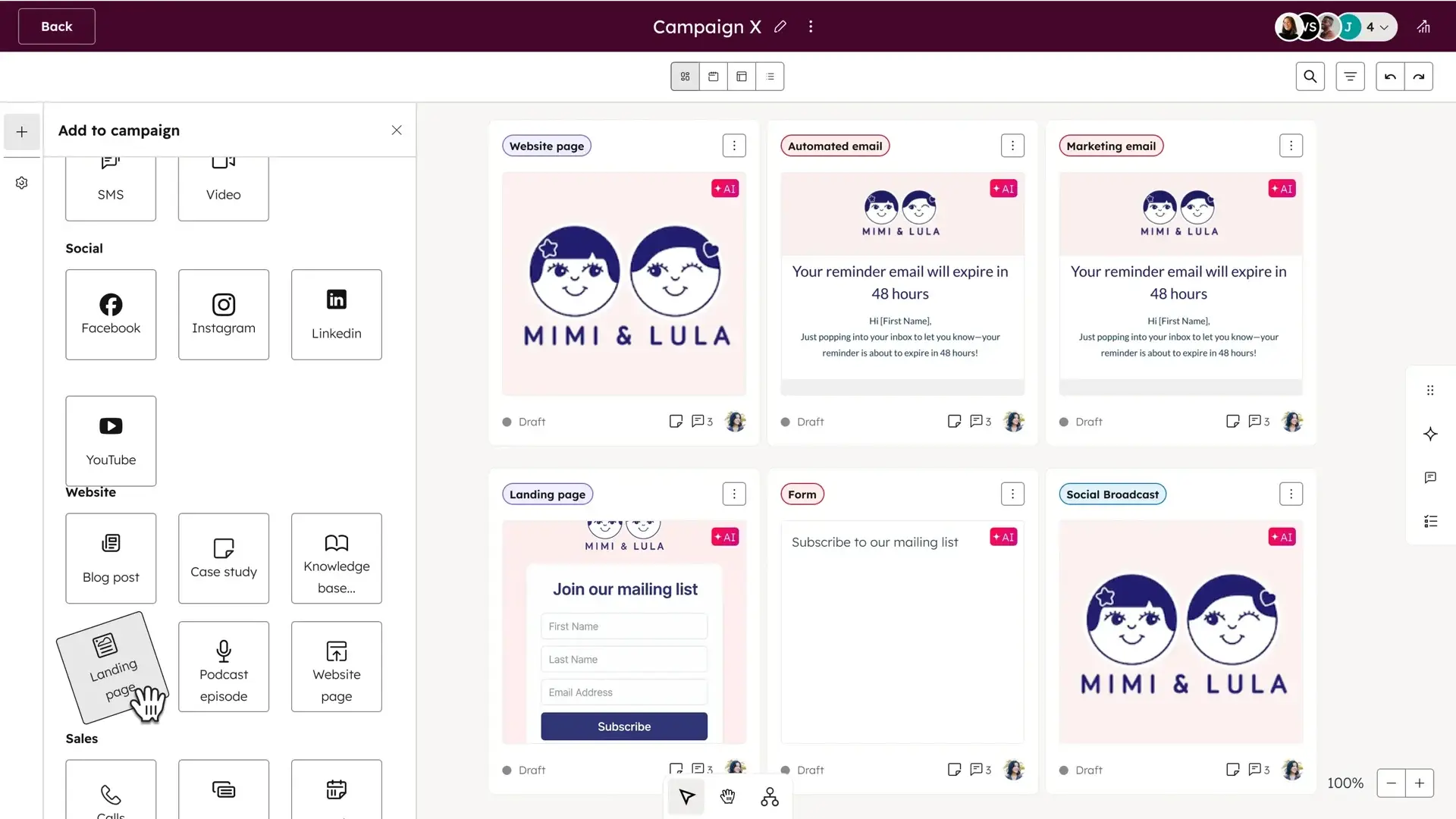
For Marketing Hub Professional and Enterprise, build around the Campaigns tool from day one. Every asset - emails, landing pages, social posts, ads - should sit inside a campaign so you get attribution and reporting without stitching it together manually afterwards.
Set up lead scoring properties early too. Scoring only gets useful once there's a few weeks of engagement data behind it, so the sooner it's live, the sooner it's telling you something real.
On Enterprise, this is also the point to think about data partitioning and custom objects before you're deep into campaign building. Deciding how teams, brands, or business units are separated at the start saves a painful restructure later.
Essential Automations to Streamline Your Marketing Process
Automation is what turns Marketing Hub from a content tool into a growth engine. A few workflows worth having from the start:
Lead nurture workflows: Enrol new contacts into a workflow based on the form they submitted or the content they downloaded, then send a short, relevant nurture series rather than one generic welcome email.
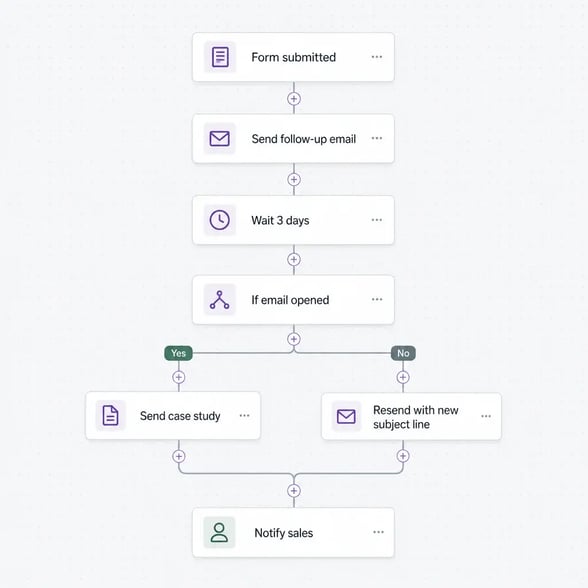
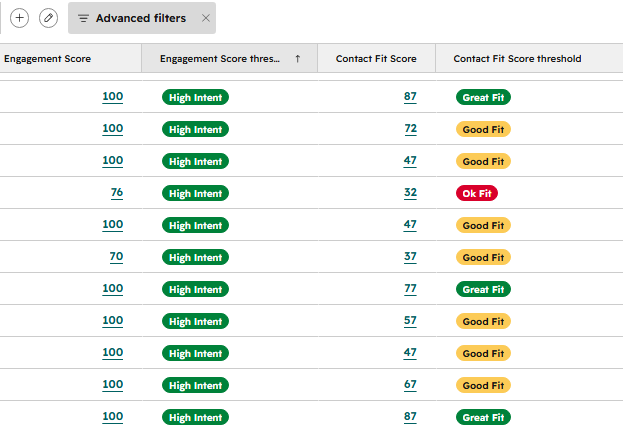
Lead scoring and handoff: Use workflows to update lifecycle stage automatically once a contact crosses your scoring threshold, and notify sales the moment a lead is ready - no more MQLs sitting unnoticed in a list.
Re-engagement for cold contacts: Flag contacts who haven't opened or clicked in 90+ days and either move them into a re-engagement automation or suppress them from future sends. It protects your sender reputation and keeps your list honest.
List hygiene workflows: Automatically archive bounced or unsubscribed contacts, and keep marketing-contact status accurate so you're not paying to market to people who'll never open an email again.
Leveraging Breeze AI for Enhanced Marketing Efficiency
Breeze AI is built into Marketing Hub Professional and Enterprise, and it's worth using properly rather than treating it as a novelty.
Content creation: Draft blog posts, social copy, and email variants faster with the Content Assistant - a solid starting point for first drafts that you shape into your own voice from there.
AEO tracking: See how your brand actually shows up when people ask ChatGPT, Gemini, or Perplexity questions in your space, and get direct recommendations on what to fix.
Predictive and AI-assisted scoring: On Enterprise, AI recommendations sit alongside your rules-based scoring, helping surface the leads worth a rep's time faster than manual scoring rules alone.
Campaign reporting assistance: Ask Breeze Assistant directly about campaign goals, spend, and performance instead of digging through multiple reports - it's a real time-saver during a busy campaign week.
Getting the Most from the Campaigns Tool
The Campaigns tool is Marketing Hub's answer to a scattered spreadsheet of assets and budgets. Used properly, it's the single place your whole campaign lives.
Asset organisation: Every email, landing page, ad, and social post tied to a campaign sits in one view, so nothing gets built or sent outside the plan.
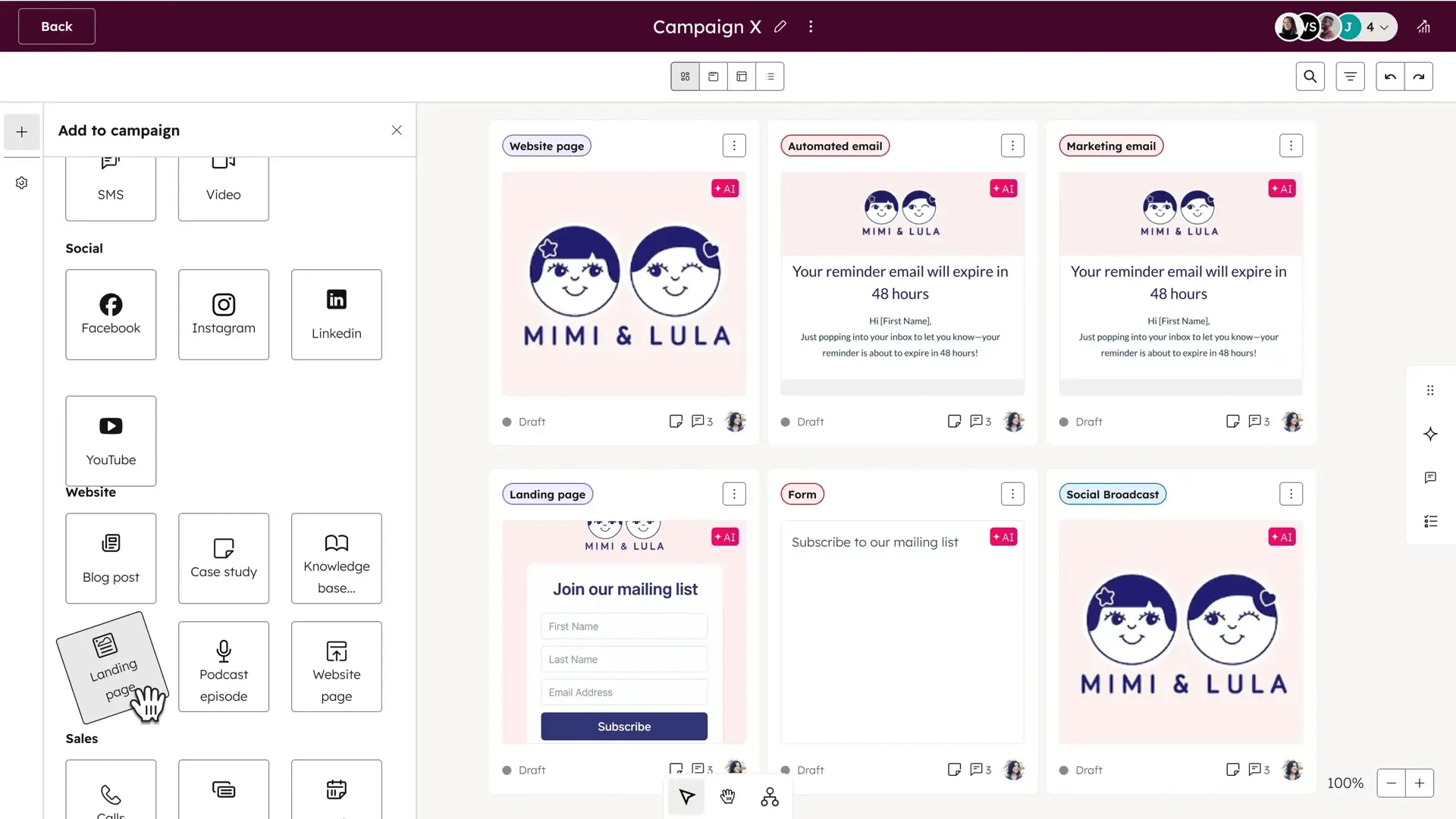
Budget and goal tracking: Set a budget and goals upfront, then track spend and performance against them without needing a second reporting tool.
Full-funnel attribution: With campaigns properly connected to contacts, deals, and tickets, you can see which campaigns are actually influencing revenue - not just which ones got the most opens.
Asset-level reporting: Spot your best-performing assets quickly, so the next campaign starts from what's already working rather than from scratch.
Key Takeaways and Recommendations
Marketing Hub gives you everything from basic email and forms through to AI-assisted, full-funnel campaign management. A few things to keep in mind:
-
Match the tier to what you actually need: Starter is fine for simple email and forms, but if automation and attribution matter to your business, Professional is where the real value starts.
-
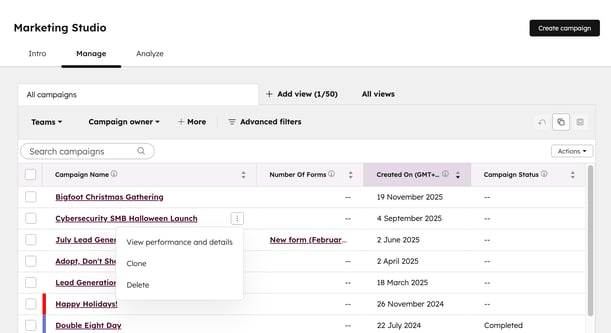
Build around the Campaigns tool early: Retrofitting attribution onto campaigns you've already run is far harder than setting it up from the start.
-
Automate the handoff, not just the send: Lead nurture is only half the job - automating scoring and sales handoff is what actually shortens your funnel.
-
Use Breeze AI for the repetitive work: Content drafting and campaign reporting are exactly where it saves the most time.
-
Keep your list clean: Re-engagement and hygiene workflows protect deliverability and keep your reporting honest.
Get these right, and Marketing Hub stops being a place you send emails from and starts being the engine actually driving your pipeline.
Need help getting more out of your Marketing Hub setup? Get in touch - we can walk through your current setup and show you where the gaps are.